AI Quiz Maker for Students: What to Look For
What to look for in an AI quiz maker for students: your own notes as input, question quality, difficulty control, instant feedback and honest limits, with Study Shot as the example.
Picking an AI quiz maker for students comes down to a few checks you can run in five minutes. This post covers the AI quiz maker for students: what to look for, in the order that matters when a test is coming up, with a way to try each check yourself. Study Shot, which turns a photo of a page into a practice quiz, is the worked example near the end, limits included.
AI quiz maker for students: what to look for, in short
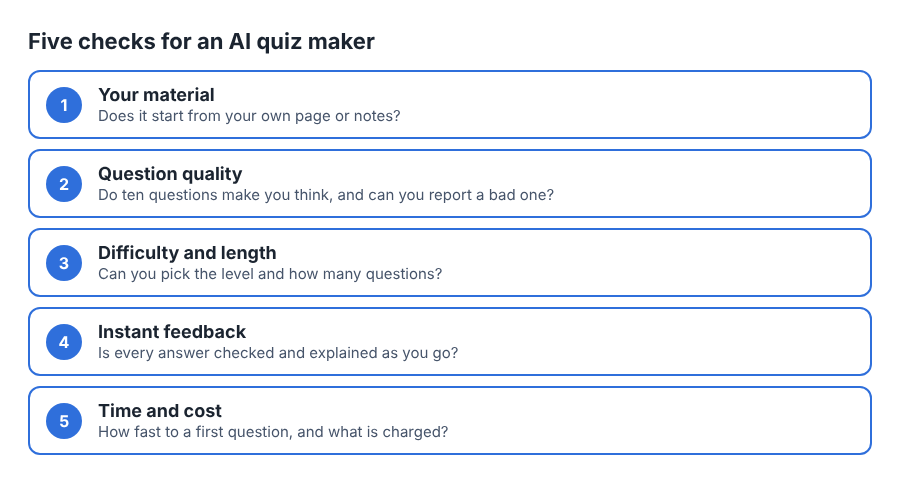
Writing your own practice questions takes time, and a tool that writes them for you can save that time. But a quiz maker only helps if it gets five things right:
- It works from your own material, not a generic topic.
- Its questions make you think, not just spot a familiar phrase.
- It lets you control difficulty and length.
- It tells you why an answer is right or wrong, straight away.
- It fits into the time you really have, and the cost is clear.
If you want the research on why answering questions is worth the time, read the testing effect explained for students. The rest of this post takes the five checks one at a time, then lists the red flags.
Input: can it work from your own notes?
This is the first filter. A quiz about "photosynthesis" in general is not a quiz about what your teacher covered on Tuesday. Your test is built from your course, so the tool should start from your handouts, textbook and notes.
Check how your material gets in. Typing or pasting text works, but it is slow when your notes are handwritten or sit in a book. A camera input is quicker: you photograph the page and you are done. Study Shot works this way. You take a photo of a page from a book, a handout or your own notes, or pick a photo you already have. Printed and handwritten pages both work, and so do diagrams and whiteboards. There is a longer walkthrough in can AI make a quiz from a photo of my notes.
Ask a few practical questions before you commit:
- Does it run where your page and your camera are, on a phone? Study Shot runs in the web browser on a phone or a computer.
- What files does it take? Study Shot takes JPEG, PNG, WebP or GIF photos up to 5 MB. It does not take a PDF.
- Does it say so when a photo is no good? Study Shot refuses a photo it cannot write questions for and tells you to try a different page.
The photo decides a lot. Study Shot writes questions only about what it can see, so anything cut off, hidden under a finger or lost in glare does not make it into the quiz. The guide to taking a good photo of a page has the details, and its main advice is one page per quiz.
Question quality: does it make you think?
Read ten questions from a real quiz before you trust a tool. Watch for two weaknesses. One is questions that only ask you to match a word to its definition when your test asks you to use the idea. The other is questions that are vague or have two defensible answers.
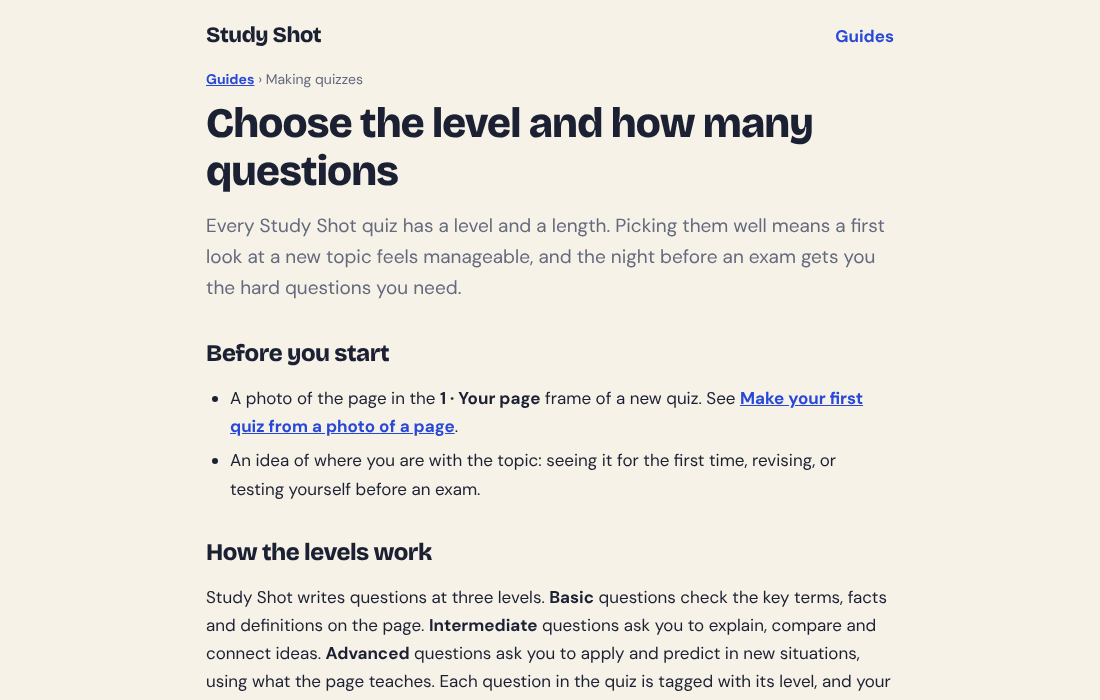
A good set mixes levels. Some questions check that you know the terms. Some ask you to explain or compare. Some ask you to apply an idea to a case you have not seen. Study Shot describes its levels this way: Basic covers key terms, facts and definitions. Intermediate asks you to explain, compare and connect ideas. Advanced asks you to apply and predict in new situations. Each question carries its level, and your results show how you did at each one.
Be honest about one limit. Questions written by an AI model can contain mistakes, and no tool should claim otherwise. What you need is a way to check and a way to flag. In Study Shot, every question has an explanation to compare with your page, and under it a button, Report a problem with this question, with four reasons to pick from: the marked answer is wrong, the question is unclear, it is not on the page, or something else.
Difficulty, length and question types
Know what you are getting. Study Shot's questions are multiple choice, with four answers marked A to D and one right answer. It does not write open-response or essay questions, so it checks what you recall and can apply, not how well you write an essay.
What matters more is the control you get over difficulty and length. Look for:
- Question count. A short set for a quick check and a longer one for a real session. Study Shot offers 5, 10, 15 or 20, with 10 as the default.
- Difficulty levels. Study Shot lets you start easy and climb, or go straight to the hard questions before an exam.
- A ladder option. Study Shot's default, Tiered, runs basic first and climbs to advanced. It splits the questions as evenly as possible across basic, intermediate and advanced, in that order, and the line under the question count tells you the split before you create the quiz.
- Quiz language. If you study in a second language, check the language list. Study Shot writes the questions, answers and explanations in 50 languages. The app's own screens stay in English.
For help picking, see the guide to choosing the level and how many questions.
Instant feedback and explanations
This is where many tools fall short. A score at the end says how you did. It does not tell you what to fix. You want feedback after every question, while you still remember what you were thinking.
In Study Shot you pick an option and press Check answer. The app says Correct! or Not quite., shows the correct answer, and adds an explanation of one to three sentences. Then you press Continue. The explanation doubles as your fact check: if it does not match your notes, you have found either a gap in your understanding or a question worth reporting. During a quiz, Show page puts your photo back on screen so you can find the line.
Then look at what you get after the last question. Useful results show:
- A score and a grade. Study Shot uses Mastered (90% and up), Good (70% and up), Getting there (50% and up) and Needs another try (below 50%).
- A score for each level, so you can see whether you are weak on the basics or only on the hard questions.
- A list of the questions you missed, with your answer next to the right one and the explanation.
That last list is your next study session. Read it, go back to the page, then retake the quiz. Study Shot's results guide suggests retaking a day or two later, not only straight away. For how often to repeat one, see how many times you should retake a practice quiz.
Speed, saving and cost
You will not use a tool that adds work, so time the whole path from opening it to your first question. In Study Shot it is: make a new quiz, take or choose a photo, pick the level, language and number of questions, then press Create questions. The app shows "Reading your page…" while it works, and writing can take up to a minute.
Also check what you can do with a quiz afterwards:
- A saved library. Study Shot keeps each quiz with its page photo and your best score, so you can retake it any time.
- Sharing. You can send a quiz by link to a friend or a study group. They need a Study Shot account, get their own copy of the questions without your photo, and you can stop sharing at any time.
- What is metered. In Study Shot, writing a quiz uses credits from a monthly allowance, and a 20-question quiz uses about four times what a 5-question quiz does. Taking a quiz, retaking it and taking a quiz someone shared with you use no credits. The app checks you have enough credits before writing, so a quiz never stops halfway.
Red flags to avoid in AI quiz makers
- Claims of perfect accuracy. AI can be wrong. A tool that says it never is is not being straight with you.
- No way to report a bad question. You should be able to flag problems.
- Questions that ignore your page. If the quiz could have been written without your notes, it was not built from them.
- Feedback only at the end. You want each answer explained as you go.
- Unclear cost. You should know what is charged before you start, and whether retakes count.
- No clear word on your photos. Look for what is sent where and what is stored. In Study Shot, the photo is sent to the AI model to write the questions and is not stored on its server. It is kept on your own device so the quiz can show it again.
How Study Shot compares on these checks
Here is Study Shot against the checks above, with its limits stated.
- Your material: yes. It starts from a photo of your page, in the browser on a phone or a computer.
- Difficulty and length: Basic, Intermediate, Advanced or the Tiered ladder, with 5 to 20 questions.
- Feedback: a check and a short explanation after every question, then the missed questions at the end.
- Languages: 50 for the quiz content.
- Cost: every new account starts on the Free plan, and new quizzes depend on your monthly credits.
- Limits: multiple choice only, no PDF upload, app screens in English, and AI-written questions that can contain mistakes. It is a web app, not an app you install from a store.
A quick test for any tool, this one included: photograph one page of your notes, choose Tiered with 10 questions, and answer them. Then read the explanations on the ones you missed and compare them with the page. That single session shows you most of what you need to judge a quiz maker.
Frequently asked questions
Can an AI quiz maker replace studying from my notes?
No. It asks you questions about material you have already read and shows where the gaps are. Go back to your notes for the questions you miss.
Are AI-written quiz questions always correct?
No. They can contain mistakes. Compare each explanation with your page and report any question that looks wrong.
Does Study Shot charge for retaking a quiz?
No. Taking a quiz, retaking it and taking a quiz someone shared with you use no credits. Only writing a new quiz uses credits.
Can I get a quiz in a different language from my page?
Yes. Study Shot writes the questions, answers and explanations in 50 languages, whatever language the page is in. The app's own screens stay in English.
Get started
Judge a tool by what it does with your own page, not by its landing page. Try Study Shot: it is free to start. Photograph the page you are studying tonight and get practice questions on it, from basic to advanced, with every answer explained.