Practice Quiz Generator for Chemistry Class Notes
A practice quiz generator for chemistry class notes should work from your own page. Here is how Study Shot turns a photo of your notes into a quiz, unit by unit, and where its limits are.
A practice quiz generator for chemistry class notes should work from the page you actually have in front of you, not from a generic question bank. That means a photo of your notes, a quiz built from what is on that page, and an explanation for every answer. This post shows how to do that with Study Shot, what to expect from the questions, and how to set up a quiz for each unit.
Why chemistry notes make good practice quizzes
Chemistry notes are packed with things you can be tested on: definitions, rules, reaction equations, trends and worked examples, often on a single page. Your own notes also reflect what your class covered. A quiz written from your page is about that material, not about a chapter you have not reached.
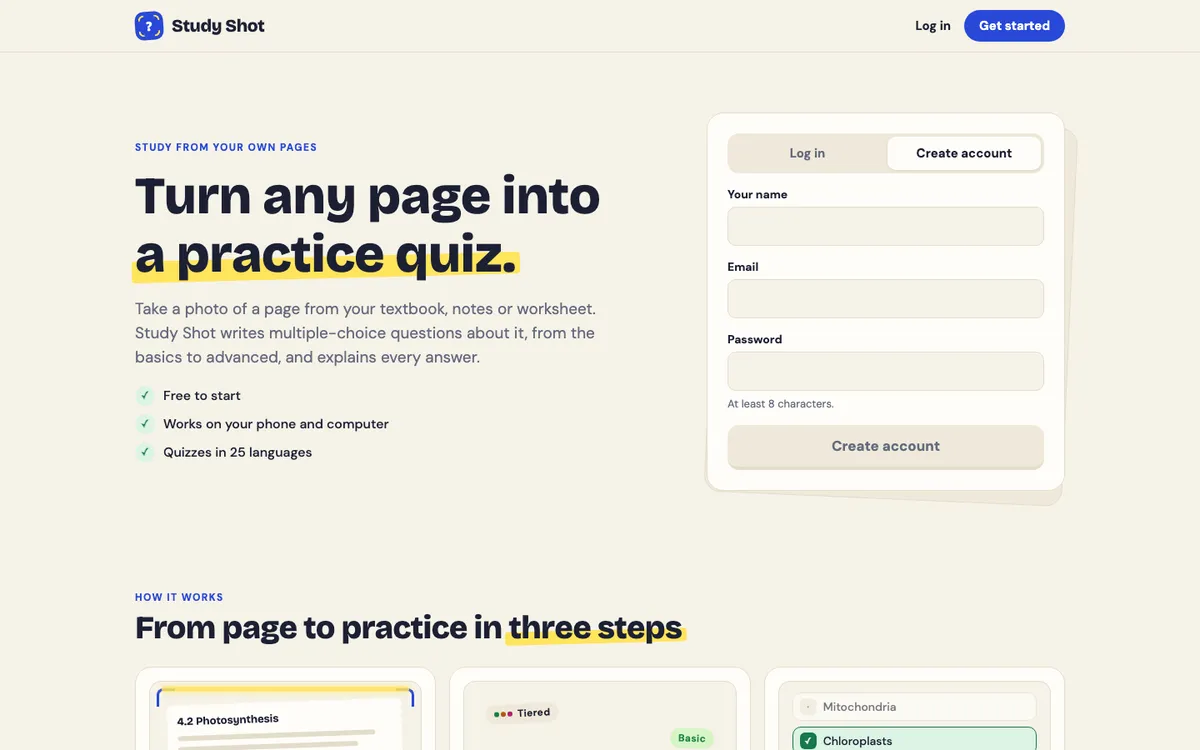
Study Shot does this. You photograph a page, and an AI model writes multiple-choice questions about it, checks your answers and explains each one. It runs in the web browser on a phone or a computer.
What a practice quiz generator for chemistry class notes should do
Before you pick a tool, check it against a short list.
- It starts from your page. You should not have to retype your notes.
- It lets you set the difficulty. Early in a unit you want key terms. Before a test you may want harder questions.
- It explains every answer. A right or wrong mark does not tell you why.
- It saves the quiz. You can retake the same quiz later and see your best score.
- It lets you flag a bad question. Questions are written by an AI model and can contain mistakes, so use the explanation to check an answer against your notes and textbook.
Study Shot covers these points. It also has limits worth knowing now: it is multiple choice only, and it takes photos, not PDF uploads.
How to turn your chemistry notes into a quiz, step by step
- Log in or create an account. Every screen needs an account, and every new account starts on the Free plan.
- Press Make a new quiz. Then press Take photo, or Choose photo to use one you already have.
- Check the photo. If it is blurry or cut off, press Retake photo.
- Pick a level. Tiered is on by default. More on the levels below.
- Check the language. Questions, answers and explanations are written in it. The app's own screens stay in English.
- Pick 5, 10, 15 or 20 questions. Then press Create questions. You will see "Reading your page…" while the quiz is written, which can take up to a minute.
The photo can be a JPEG, PNG, WebP or GIF up to 5 MB. If your notes are a PDF, take a screenshot of the page and use that. For framing, the guide on taking a good photo of a page covers it.
What the quiz writer reads on a chemistry page
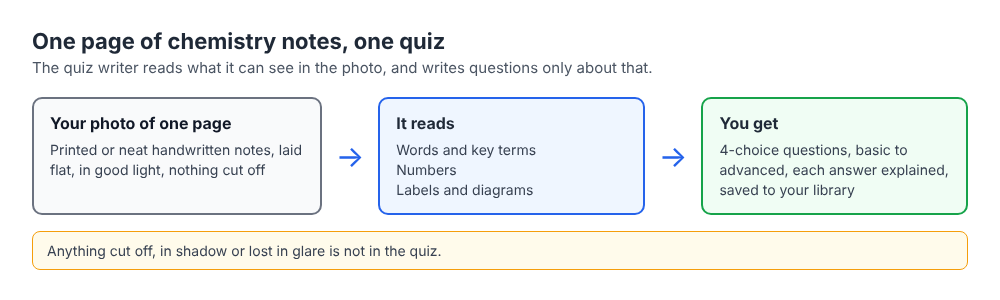
Study Shot's quiz writer reads the words, numbers, labels and diagrams in your photo, the way you would read the page yourself, and writes questions only about what it can see. Printed text reads best, and neat handwriting and labelled diagrams work too. A few habits follow from that.
Equations and numbers
Photograph one block of related material at a time, such as a balanced equation with its worked example. Zoom in on the smallest print before you press Create questions: the guide says that if you can read it, Study Shot can. If a subscript or a charge is blurred, retake the photo.
Diagrams
Labelled diagrams work. If a diagram is the main point of the page, read the post on making a practice quiz from a textbook diagram first.
Handwritten notes
Good light and a flat page matter most. Keep your hand and phone from casting a shadow over the writing, and shoot straight down at the page. If the app cannot write questions from your photo, it says: "We couldn't write questions for this photo. Try a different page." Retake the picture or try a cleaner page.
Question levels for chemistry: terms, comparing, applying
Every question has four choices, A to D, and one right answer. The level you pick sets the kind of thinking each question asks for.
- Basic covers key terms, facts and definitions.
- Intermediate asks you to explain, compare and connect ideas.
- Advanced asks you to apply and predict in new situations.
- Tiered, the default, climbs from basic to advanced and splits the questions as evenly as possible across the three levels.
Because every question is multiple choice, you pick an answer rather than show your working. If your notes include a calculation, do the arithmetic on paper first, then choose. When the app shows the right answer and its short explanation, compare it with your working. If your result differs, find the step where you diverged. The guide on choosing a level and number of questions explains each setting.
A worked example: one quiz per unit
One page per quiz works best, and a short quiz for each topic keeps the questions focused. Your library then holds a separate quiz for each part of the course. Here is one way to do it. These are suggestions, not the only way to use the app.
Stoichiometry
Photograph the page with your mole ratio rules and one worked example, such as 2H2 + O2 → 2H2O. Choose Tiered with 10 questions and press Create questions. Work each question on paper before you answer. If you miss one, read the explanation and redo your steps.
Bonding
Use the page that compares ionic, covalent and metallic bonds. Make one quiz at Basic to lock in the terms, then a second at Intermediate to practise comparing them.
Acids and bases
Photograph your notes on definitions, the pH scale and neutralization. In the week of the test you could switch to Advanced, to practise applying the ideas rather than recalling definitions.
Writing a quiz uses credits from your monthly allowance. A 20-question quiz uses about four times what a 5-question quiz does, and Study Shot checks you have enough credits before it starts writing, so a quiz never stops half way. Taking and retaking a quiz uses no credits. The guide on credits and Study Shot Plus has the details.
How to review your results and retake the quiz
On each question, pick an option and press Check answer. You will see "Correct!" or "Not quite.", the right answer, and an explanation of one to three sentences. Press Continue, and Finish quiz on the last question. If you need to look at your notes mid-quiz, Show page displays your photo.
The results screen shows a percentage and a grade: Mastered is 90% and up, Good is 70% and up, Getting there is 50% and up, and Needs another try is below 50%. You also get a score for each level in the quiz. A high score on Basic and a lower one on Advanced may mean you know the terms but need more practice applying them.
Look at these again lists each missed question with your answer and the right answer. Check those against your notes, then press Retake quiz. Your best score is saved on the quiz card in your library, next to a thumbnail of your page. For timing, see the post on how many times you should retake a practice quiz.
If a question looks wrong, press Report a problem with this question and choose one of four reasons. Check it against your textbook before you trust it.
Frequently asked questions
Can I upload a PDF of my chemistry notes?
No. Study Shot works from photos. Take a picture of the page, take a screenshot of the PDF page, or choose a photo you already have. JPEG, PNG, WebP and GIF files up to 5 MB are accepted.
Will it write calculation questions?
Every question is multiple choice with four choices, so you choose an answer rather than type a number. Do your working on paper first, then compare it with the explanation.
Can I share a chemistry quiz with my lab partner?
Yes. Share this quiz makes a link. The other person needs a Study Shot account and gets their own copy of the questions, without your photo. You can Stop sharing at any time. The post on sharing a quiz with classmates has more.
Is it free?
It is free to start: every new account begins on the Free plan. Writing a quiz uses credits from a monthly allowance, and taking or retaking a quiz uses none.
Get started
Pick the chemistry page you find hardest and photograph it. Choose Tiered with 10 questions, work the problems on paper, and read every explanation. Then retake the quiz in a day or two and compare your scores.
Try Study Shot: it is free to start. Photograph the page you are studying tonight and get practice questions on it, from basic to advanced, with every answer explained.