Can I Share a Practice Quiz With My Classmates? Yes
Yes, you can share a practice quiz with classmates. Learn the easiest ways to share, what to check first, and how to build a study group quiz from your notes.
Can I share a practice quiz with my classmates? Yes. In Study Shot, you turn a photo of a page into a multiple-choice quiz, and you can send that quiz to a friend or a study group with a link. Each person gets their own copy to take, with their own scores. This guide covers how sharing works, what to check first, and how to run a study group around one quiz.
Can I share a practice quiz with my classmates? Yes
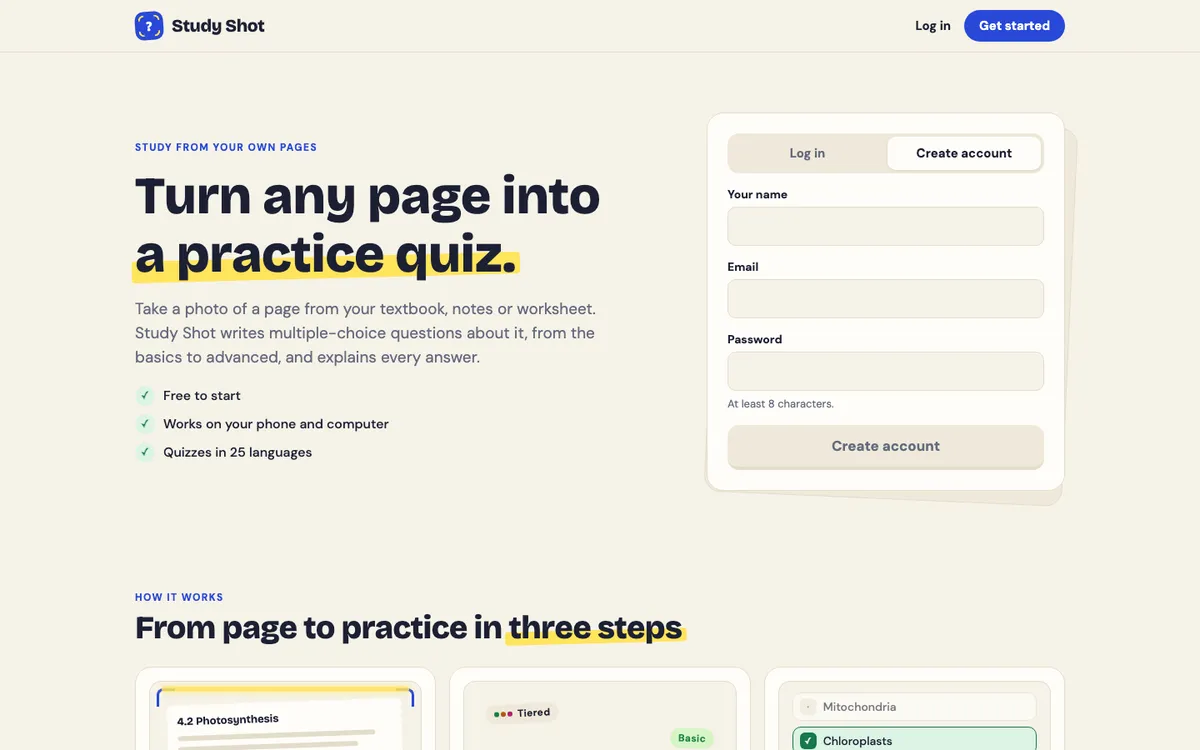
After you finish a quiz, the results screen has a Share this quiz button. It makes a link. You send that link to whoever you want.
Here is what happens on the other end:
- The person who opens the link needs a Study Shot account. Every screen in the app needs one, and creating an account is free to start.
- They get their own copy of the questions. Their answers and scores are their own: you do not see them, and they do not see yours.
- They do not get your photo. Only the questions come across.
- Taking a quiz someone shared with you uses no credits. Only writing a new quiz does.
You can also Stop sharing whenever you want. If you shared a link by mistake, or the test is over and you want to tidy up, that option is there.
One thing to know: the quiz is written by an AI model, so it can contain mistakes. We cover how to handle that further down, and you can read more in how accurate AI-written practice questions are.
What to check before you share (class rules and honesty)
Sharing a practice quiz is the same kind of thing as swapping flashcards or comparing notes. Still, a few checks keep you out of trouble.
Read your class or school policy
Teachers can have rules about sharing material that comes from them, such as a handout or a worksheet. If the page you photographed is a teacher's worksheet, check whether it is fine to pass on questions based on it. If you are not sure, ask. It takes one message.
Never use it on graded work
A practice quiz is for practice. Do not share it during a graded test, a take-home exam, or any assignment where outside help is banned. Do not ask classmates for the answers to a real quiz either. If a teacher has said "no collaboration," that includes a shared practice set built from that same assignment.
Think about whose page it is
The shared copy does not include your photo, so you are not passing around pictures of a book or someone's handwritten notes. Even so, if your photo shows a classmate's notes, ask before you build a quiz from them. It is a small courtesy and it avoids awkward moments.
Ways to share a practice quiz with a study group
Sharing makes a link, so you can send it the way the share guide suggests: in a message, a group chat or an email. On a phone the share sheet opens so you can pick the app; on a computer the link is copied for you.
Three simple ways to use that:
- One quiz, everyone takes it. One person makes the quiz and shares the link. Everyone takes it alone, then you meet and compare results.
- Split the chapter. Each person photographs a different page and makes a quiz. Everyone shares their link. By the end, each of you has practised the whole chapter, and nobody had to write all of it.
- Level it up. One person makes a Basic quiz on a page for the friend who is behind. Another makes an Advanced one for the friend who wants a challenge. Same page, different level.
Option two is the most efficient, because writing a quiz is the only step that costs credits. Taking and retaking are free, so spreading the writing across the group means no one person spends their whole monthly allowance. If you want to know how credits work, the credits and Study Shot Plus guide explains it.
How to make a quiz everyone can use from a photo of your notes
A shared quiz is only as good as the page behind it. Here is a worked example. Say your group has a biology test on Friday, and you are covering the page on photosynthesis.
- Open Study Shot in your browser on your phone or computer and tap Make a new quiz.
- Choose Take photo or Choose photo. Hold the page flat and fill the frame. The guide to taking a good photo of a page has more tips. Photos can be JPEG, PNG, WebP or GIF, up to 5 MB.
- Pick the number of questions: 5, 10, 15 or 20. Ten is the default and works well for one page.
- Pick a level. Tiered is the default and climbs from basic to advanced, so it suits a group with mixed confidence. Basic covers key terms and definitions. Intermediate asks you to explain and connect ideas. Advanced asks you to apply and predict in new situations.
- Pick the quiz language if your group studies in something other than English. The questions, answers and explanations come in the language you choose, though the app's own screens stay in English.
- Press Create questions. It can take up to a minute.
Each question has four choices, A to D, with one right answer. After you pick one and press Check answer, you see whether you were right, the correct answer, and a short explanation.
Take the quiz yourself first, as the share guide suggests. Once you finish, press Share this quiz and send the link. Taking it first lets you spot a question that looks off before the group sees it. If one does, use Report a problem with this question under the question, and tell your group which one to be careful with. For the full steps, see the guide to making your first quiz.
Tips for studying together with a shared quiz
Take it alone first, talk second
The share guide's tip is to agree that you each take the quiz once alone first, then compare which questions you each missed. Save the discussion for after. For why multiple-choice practice is worth doing, see why multiple-choice practice helps you learn.
Compare your missed questions
The results screen shows a Look at these again list of questions you missed, with your answer and the right answer. When your group meets, go through the questions that two or more of you missed first. Those are the gaps in the whole group, so they are worth the most time.
Use the level scores
Results also show a right/total score for each level in the quiz: Basic, Intermediate and Advanced. If someone scores well on Basic but poorly on Advanced, they know the terms but need practice applying them. That tells your group what to work on together.
Retake until it sticks
Retaking a quiz costs no credits. Each person can retake after the group session and try to move up a grade. The grades are Mastered (90% and up), Good (70% and up), Getting there (50% and up) and Needs another try (below 50%). Your best score is saved in your library. There is more on this in how to retake a quiz until you master a page.
Use the explanations to check the AI
Because the questions come from an AI model, treat the explanation as a way to check your understanding, not as final proof. If an answer disagrees with your textbook, trust the textbook and your teacher, and report the question.
Mistakes to avoid when sharing quizzes
- Sharing before you have checked it. Take it first so you can warn the group about anything odd.
- Making every quiz from the same page. If the group splits the chapter, each quiz covers different ground.
- Expecting a shared score board. You do not see each other's answers or scores. If you want to compare, do it in conversation.
- Forgetting a free account is needed. Tell classmates they must log in or create an account to open your link.
- Sharing off-limits material. If the source page is from a graded task, do not share it.
- Waiting until the last minute. If you are short on time, the 30-minute night-before routine shows how to use one quiz in an evening.
Frequently asked questions
Is it okay to share a practice quiz with classmates?
Usually yes, because it is the same as studying together. Check your teacher's rules if the page comes from a worksheet or handout, and never use a shared quiz on graded work where outside help is banned.
Can I share a quiz I made with AI?
Yes. Press Share this quiz on the results screen to get a link. The person who opens it needs a Study Shot account and gets their own copy of the questions, without your photo. You can stop sharing at any time, and the old link stops working straight away.
Should classmates make their own quiz or use mine?
Using yours saves credits, since taking a shared quiz costs none. Making their own lets them pick a different page, level or language. A good mix is to split the pages and swap links.
How many people should be in a quiz study group?
Study Shot does not set a group size: a link can be sent to as many people as you like. Pick what suits your group. Writing new quizzes uses the writer's monthly credits, and there is a short-term limit on how many can be made in a few minutes.
Get started with Study Shot
Try Study Shot: it is free to start. Photograph the page you are studying tonight and get practice questions on it, from basic to advanced, with every answer explained. Then press Share this quiz and send the link to your group.