Can I Make a Practice Quiz From a Textbook Diagram?
Yes, you can turn a textbook diagram into a practice quiz. Learn how to snap a photo, label parts, and test yourself with Study Shot in minutes.
Yes. If you have a page with a diagram on it, you can turn a photo of that page into a practice quiz. This post answers the question "can I make a practice quiz from a textbook diagram?" with what works, what to watch for, and a worked example you can copy tonight. You do it with Study Shot, a web app that reads a photo of a page and writes multiple-choice questions about it.
Can I make a practice quiz from a textbook diagram? Short answer: yes
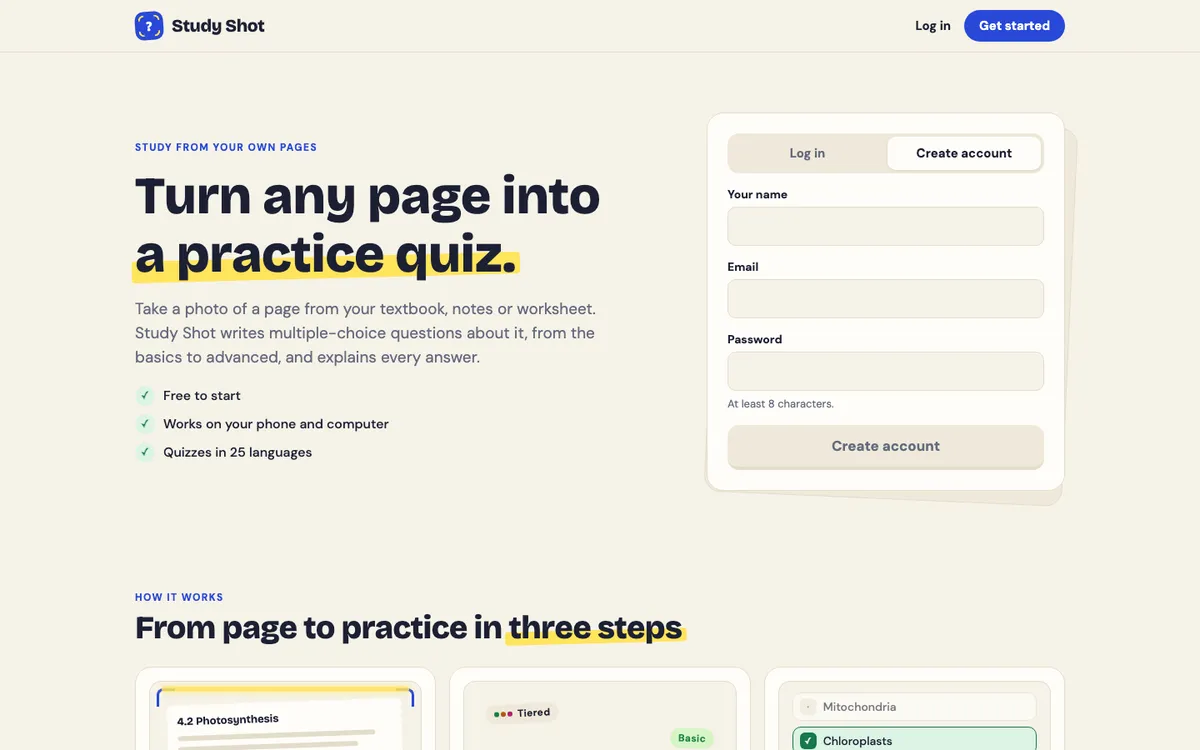
Study Shot's photo screen says textbooks, notes, diagrams and whiteboards all work. You take a photo, pick how many questions you want, pick a level, and press Create questions. An AI model writes the questions, checks your answers and explains each one.
One thing to know before you start: every question is multiple choice with four options, A to D, and one right answer. The questions are written as text. So a diagram quiz will ask things like "Which structure carries water up from the roots?" rather than asking you to tap a spot on the picture. That is still good practice, and it is easy to pair with the picture itself, as you will see below.
Why diagrams are great for practice questions
A diagram packs a lot of facts into a small space. Names, order, position and cause and effect are all there at once. That makes it easy to read the page and feel like you know it, because you recognise the shapes. Recognising is not the same as recalling.
A quiz forces recall. When you have to pick the right name or the right step without the label in front of you, you find out fast what you actually remember. The explanation after each answer then fills the gap while the question is still fresh.
What kinds of diagrams work best
Study Shot's photo guide says its quiz writer reads the words, numbers, labels and diagrams in your photo, the way you would read the page yourself, and that labelled diagrams work. A labelled diagram is the safest start. These are four kinds to try, and the questions below are only examples of what you might get:
- Labeled parts. A cell, a flower, the heart, an engine. Questions can ask what each part does and how parts relate.
- Cycles. The water cycle, the carbon cycle, the cell cycle. Questions can ask what comes next, what feeds into what, and why.
- Flowcharts. Decision trees, process steps, a legal procedure. Questions can ask about order and conditions.
- Graphs with labels. A supply and demand curve, a population growth chart. Questions could ask what a labeled point means. Graphs are the case to check yourself: read the first quiz against the page.
The guide says Study Shot writes questions only about what it can see. A bare drawing with unlabeled arrows gives it less to work with, so include the caption and the nearby paragraph in your photo whenever you can.
How to make a practice quiz from a textbook diagram step by step
Here is a worked example. Say your biology chapter has a page with a diagram of the water cycle, a caption, and two paragraphs of explanation. You have a test on Friday.
- Log in. Study Shot needs an account for every screen. You can create one with your name, email and password. It is free to start.
- Make a new quiz. Choose Take photo, or Choose photo if you already have a picture of the page.
- Frame the page. The app says to hold the page flat and fill the frame. Get the diagram, its caption and the text around it all in one shot.
- Pick the number of questions. You can choose 5, 10, 15 or 20. The default is 10. For one diagram, 10 is plenty.
- Pick a level. Tiered is the default. It is a ladder that goes from basic up to advanced, and it splits your questions as evenly as possible across the three levels. Basic covers key terms, facts and definitions. Intermediate asks you to explain, compare and connect ideas. Advanced asks you to apply and predict in new situations.
- Pick a language. Questions, answers and explanations can be written in 50 languages. The app's own screens stay in English.
- Press Create questions. You will see "Reading your page…" and then a note that it is writing your questions. It can take up to a minute.
For the water cycle page, a Tiered quiz of 10 might include questions like these (examples of the kind of question, not a real quiz output): it could start with "What is the name of the process where liquid water turns into vapor?" and end with a question about what would happen to a region if cloud formation slowed down. The easy questions check the labels. The harder ones check whether you understand the arrows between them.
If you want a longer walkthrough of the same flow, the phone photo guide covers it, and there is a first quiz guide too.
Tips for getting better questions from a diagram photo
Shoot the caption and the text next to it
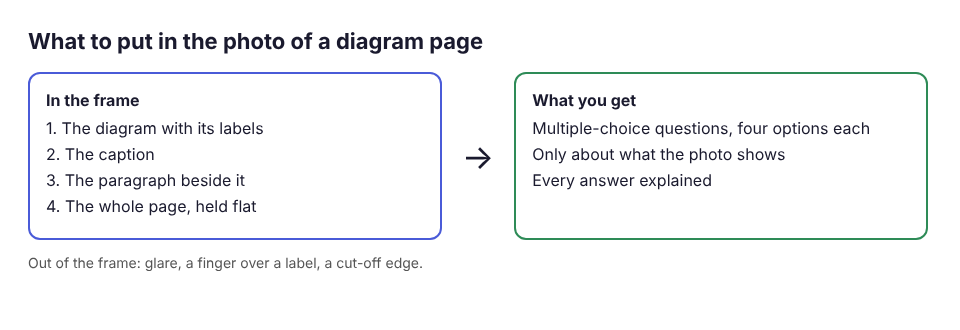
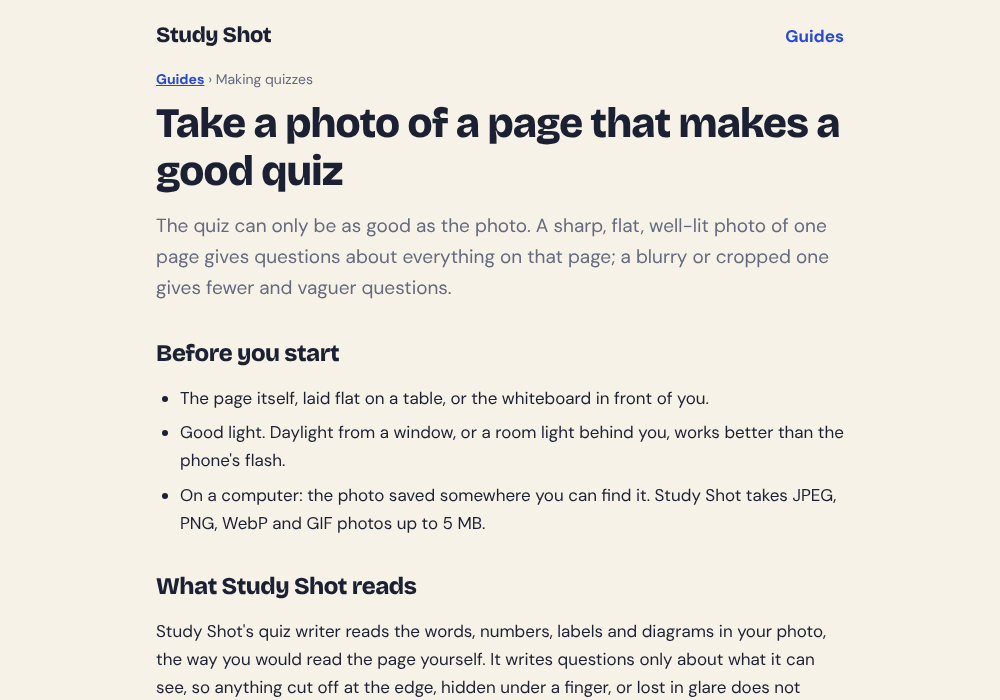
The caption often tells you what the diagram is for. The paragraph beside it usually explains the process. Because Study Shot only writes about what it can see, a photo with the caption and text in it gives it more to ask about than the picture alone. For general photo advice, see the guide to taking a good photo of a page.
One diagram per quiz
If a page has three different diagrams, you will get a mix of questions. That is fine for a review, but if you want to drill one topic, photograph just that section. A focused photo gives a focused quiz.
Match the level to where you are
Early in your studying, try Basic so you can lock in the names and facts. Closer to the exam, try Advanced for application questions. The levels and question counts guide explains each option. Keep in mind that a 20-question quiz uses about four times the credits of a 5-question one, so pick the count you will really use.
Keep the picture next to you
During a quiz, the Show page button displays your photo. Use it after you answer, not before. Answer from memory first, then look at the diagram to see where the answer lives. That connects the text question back to the picture.
How to study with the quiz: label recall, sequence questions, and retakes
The quiz gives you the questions. How you use them matters more. Here is a simple routine for a diagram.
- Label recall. Take a Basic quiz first. Cover the diagram, answer from memory, then press Check answer. You will see Correct! or Not quite., the right answer, and a short explanation.
- Sequence and cause. Move to Intermediate or Tiered. For cycles and flowcharts, these questions ask what happens next and why. Say the sequence out loud before you pick an option.
- Read what you missed. At the end, the results screen shows a percentage and a grade, plus a score for each level. Under Look at these again, you will see each missed question with Your answer and the Right answer.
- Retake. Press Retake quiz. Taking and retaking a quiz uses no credits, so you can repeat it as often as you need.
Grades run from Needs another try (below 50%) through Getting there, Good and Mastered (90% and up). Your best score is saved with the quiz in your library, with a thumbnail of the page, so you can come back to it before the exam. If you wonder how many repeats are worth your time, read how many times you should retake a practice quiz. The results, library and retakes guide shows the screens.
The AI model can make mistakes, and the explanations are there to help you check an answer, not to replace your textbook. If a question looks wrong, compare it with the page. Under any question you can choose Report a problem with this question and pick one of four reasons.
Common problems and how to fix them
Blurry photo
Hold the phone straight above the page and use good light, daylight from a window works better than the flash. A sharp photo of one page beats a quick snap of a whole spread.
Small labels
Study Shot accepts JPEG, PNG, WebP or GIF files up to 5 MB. The photo guide's test is simple: zoom in with your eyes on the smallest print, and if you can read it, Study Shot can. If a label is too small to read in your photo, move closer, fill the frame, and retake it.
Glare
Glossy textbook pages catch light. Tilt the book a little, or turn so a lamp or window is not reflecting off the page. A bright white patch over a label means that label is lost.
"We couldn't write questions for this photo"
If you see this message, the photo was refused. Try a different page, or retake the photo with the page held flat, the frame filled, and the text and caption in view.
Credits
Writing a quiz uses credits from a monthly allowance, and Study Shot checks you have enough before it starts, so a quiz never stops half way. Your library shows how many credits you have used this month. Credits start again on the 1st of each month and do not roll over. The credits and Plus guide has the details.
For a broader look at turning book pages into questions, see this post on an app that makes practice questions from a textbook page.
Frequently asked questions
Can Study Shot make a quiz from a flowchart or a graph?
Flowcharts and labelled diagrams are the kind of page the photo screen and the photo guide say work. Graphs are less certain, so include the axis labels, caption and nearby text, and read the first quiz against your page.
Will the questions ask me to click on the diagram?
No. Questions are multiple choice with four options, written as text. Use the Show page button during the quiz to look at your photo after you answer.
Does a diagram quiz cost more credits?
Credits depend on how many questions you ask for and how much is on the page. A 20-question quiz uses about four times what a 5-question quiz does. Retaking a quiz costs nothing.
Can I get the quiz in another language?
Yes. You can choose from 50 languages for the questions, answers and explanations. The app's own screens stay in English. See this post on getting a quiz in Spanish from an English page.
What if a question about my diagram is wrong?
Questions are written by an AI model and can contain mistakes. Check the explanation against your textbook, and use Report a problem with this question to flag it.
Get started
Try Study Shot: it is free to start. Photograph the diagram you are studying tonight and get practice questions on it, from basic to advanced, with every answer explained.