Can I Get a Practice Quiz in Spanish From an English Page?
Yes. Photograph an English page, pick Spanish as the quiz language, and Study Shot writes the questions, answers and explanations in Spanish. Here are the steps and a routine.
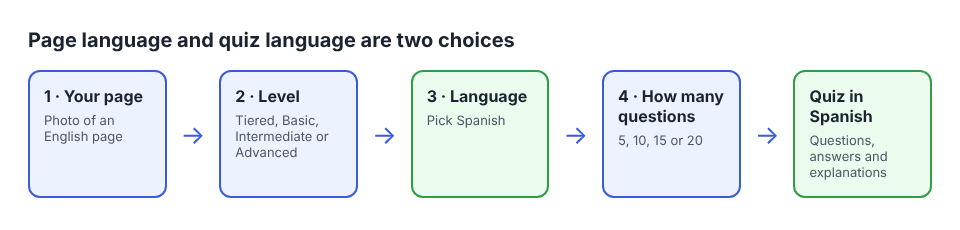
Yes. If you are wondering can I get a practice quiz in Spanish from an English page, the answer is that the page language and the quiz language are two separate choices. You photograph the English page, pick Spanish before you create the quiz, and Study Shot writes the questions, the answer choices and the explanations in Spanish. You can start at Study Shot, which runs in the web browser on your phone or computer.
This post covers who this helps, the exact steps, how to keep the Spanish questions honest, and a simple routine that uses both languages.
Can I get a practice quiz in Spanish from an English page? Yes
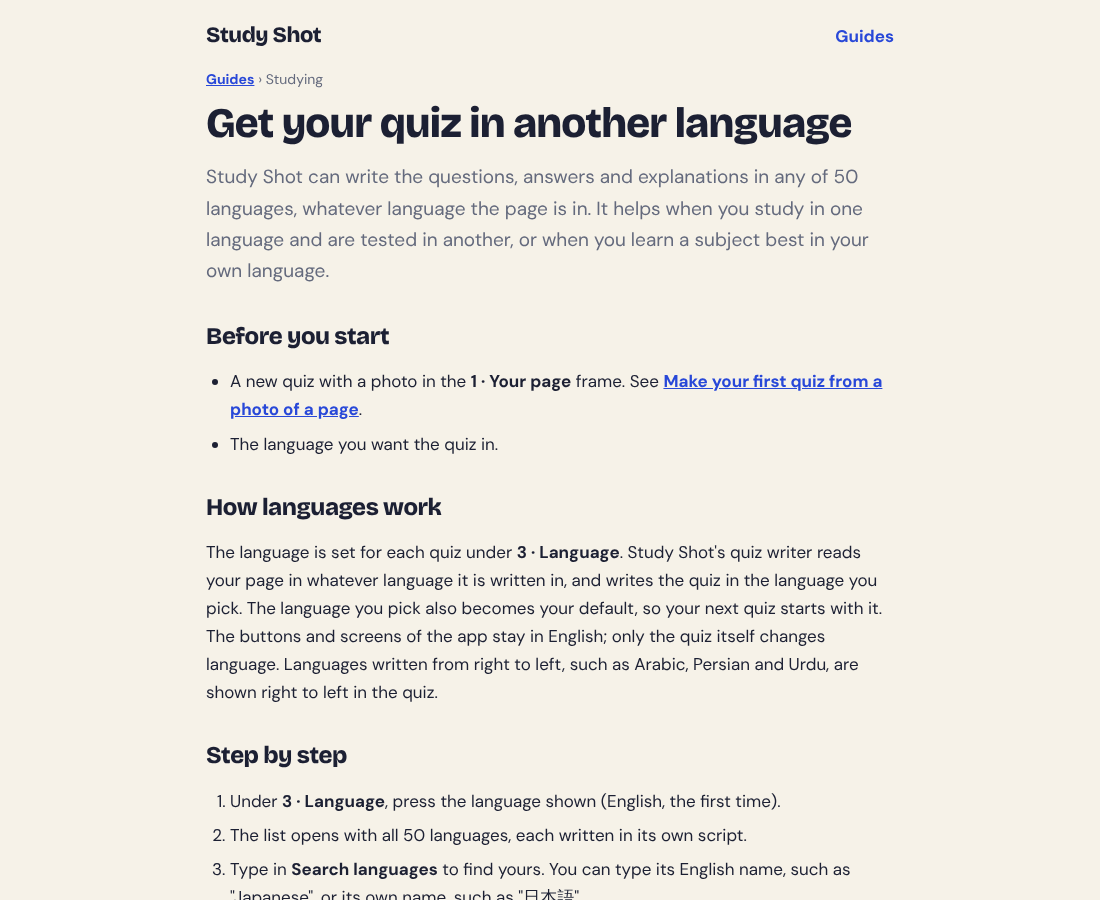
When you make a new quiz, you take or choose a photo, then pick a level, a quiz language and the number of questions. Study Shot offers 50 languages for the questions, answers and explanations, and Spanish is one of them. Its language guide says the quiz writer reads your page in whatever language it is written in and writes the quiz in the language you pick.
So the page in your photo can stay in English. You do not need to translate your notes or retype anything first.
One thing to know: only the quiz content changes language. The app's own screens, such as buttons and menus, stay in English. You will see Check answer and Continue in English while the question and the four choices appear in Spanish.
Who a Spanish quiz built on an English page is for
This setup fits when your source material and your strongest language do not match.
- Students in English-language classes who think in Spanish. The quiz asks about the ideas in the language you know best, so you can see whether you understood the idea and not only the English wording.
- People learning Spanish. You can read Spanish questions about a topic you already know from the English page. If you want the other direction, the guide has a tip: photograph a page in the language you are learning and get the quiz in your own.
- Parents who read Spanish better than English. If your child brings home an English worksheet, you can make a Spanish quiz from it and follow along. There is more in our post on how parents can make a practice quiz from homework.
- Tutors and study groups. One page can give you a quiz that your Spanish-speaking students can read.
How to turn an English page into a Spanish practice quiz
The steps are the same as for any quiz. The only extra care is the language.
- Sign in. Every screen needs an account. Log in or create one with your name, email and password.
- Press Make a new quiz, then under 1 · Your page choose Take photo or Choose photo. Hold the page flat and fill the frame.
- Pick a level under 2 · Level: Tiered (the default ladder from basic to advanced), Basic, Intermediate or Advanced.
- Set the language to Spanish under 3 · Language. Press the language shown, type "Spanish" or "Español" in Search languages, and pick it. The line under it confirms that questions, answers and explanations are written in this language.
- Pick how many questions under 4 · How many questions: 5, 10, 15 or 20. The default is 10.
- Press Create questions. You will see "Reading your page…" and then a message that Study Shot is writing your questions in Spanish. It can take up to a minute.
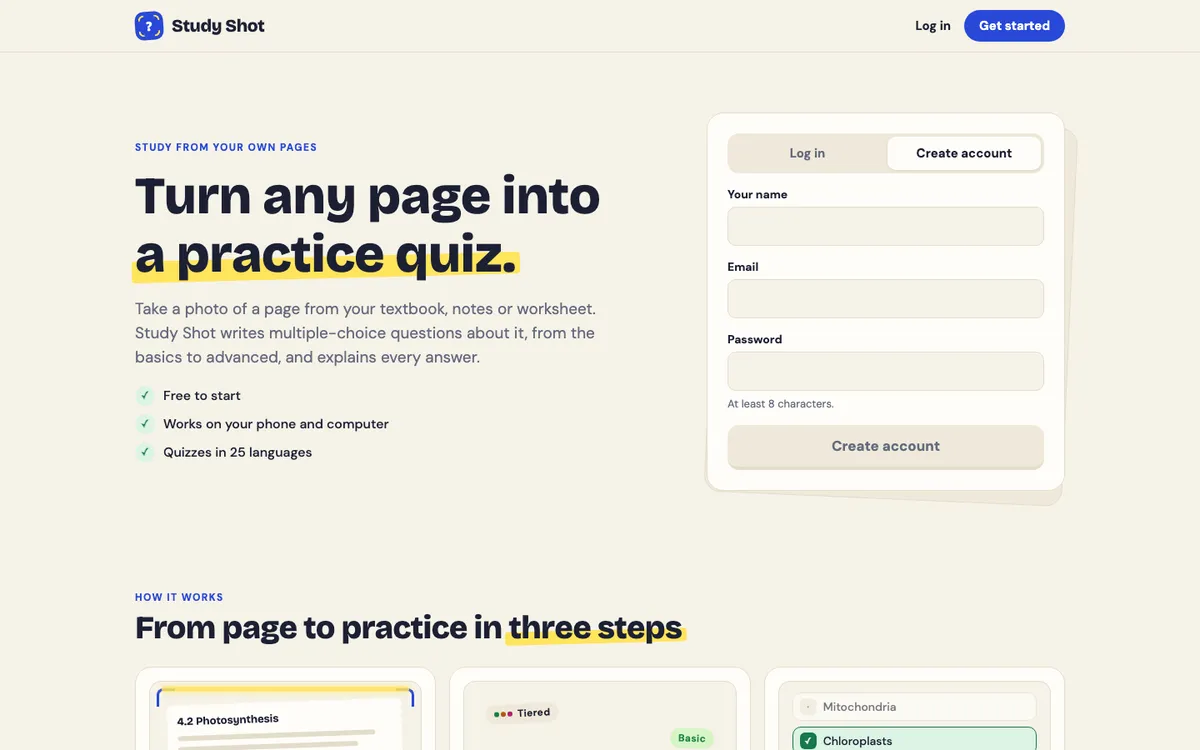
Here is a worked example. Say you photograph a biology page about photosynthesis. The sample question on the Study Shot home page asks where in a plant cell photosynthesis takes place, with the chloroplasts as the right answer. With Spanish selected, you would get questions of that kind written in Spanish. Each has four choices from A to D, one right answer, and a short explanation in Spanish after you press Check answer. That sample is an example, not a question the app will write for your page.
For a walkthrough of each screen, the guide on getting your quiz in another language covers it.
Tips for getting good Spanish questions from your photo
The quiz can only be as good as the photo, and you still read the results with care. These habits help.
Start with a clear photo
Study Shot writes questions only about what it can see in the photo. Anything cut off, hidden under a finger or lost in glare does not make it into the quiz. Keep the page flat, fill the frame, and check there is no shadow from your phone or hand. If a photo cannot be used, Study Shot says "We couldn't write questions for this photo. Try a different page." Photos can be JPEG, PNG, WebP or GIF up to 5 MB. Our guide on taking a good photo of a page has the details.
Use one page per quiz
The photo guide says one page per quiz works best, and that a photo of two pages side by side splits the questions between them. For a long chapter, make one quiz per page.
Use the explanations to check
Questions are written by an AI model and can contain mistakes. The short explanation after each answer helps you check the reasoning against your page, and Show page during a quiz brings up your photo. Check technical terms against your English page, especially if your class uses a specific English term.
Flag anything that looks wrong
Under each question you can choose Report a problem with this question and pick one of four reasons. If a Spanish question reads oddly or the right answer seems off, report it rather than memorise it. See how to report a question.
A routine: quiz in Spanish, then in English
Here is one way to use both languages with the same page. It is a suggestion, not a method with a proven result.
- Make a Spanish quiz from your English page. Tiered with 10 questions is a fair start.
- Take it once and read every explanation. The results screen shows your percentage and grade, a score for each level, and a Look at these again list of missed questions with Your answer and Right answer.
- Retake the Spanish quiz a day or two later. A retake uses no credits, and the results guide suggests waiting a day or two. Our posts on retaking a quiz until you master a page and how many times to retake a practice quiz cover the rhythm.
- Make a second quiz from the same page in English. Choose the photo again and leave the language on English. It is a new quiz with new questions; your Spanish quiz stays in your library.
If your test is in English, the English quiz shows whether you can answer in the language the test uses. Both quizzes are saved in your library with the page photo and your best score, so you can compare them.
Writing a quiz uses credits from your monthly allowance, and a 20-question quiz uses about four times what a 5-question quiz does. Taking and retaking quizzes use none, so if you are careful with credits, make the English quiz short and retake the Spanish one.
When a Spanish quiz helps bilingual and ESL students
If you are learning in English as a second language, you could make the Spanish quiz early in a unit, while you are still getting the ideas straight, and an English quiz nearer the test so the English terms are familiar.
If you are bilingual, you can alternate: a Spanish quiz on Monday and an English quiz from the same page on Wednesday. Comparing the two results shows where the same idea felt harder in one language.
If you teach or tutor, Share this quiz makes a link. The person who opens it needs a Study Shot account and gets their own copy of the questions, without your photo, and a shared quiz keeps its language. Read more in how to share a quiz.
Common mistakes with a quiz in another language
- Forgetting to check the language. The language you pick becomes your default for the next quiz, so look at 3 · Language each time before you press Create questions.
- Expecting the app screens to switch to Spanish. They stay in English. Only the questions, answers and explanations change.
- Expecting one quiz to come in two languages. The language is set for each quiz when you create it. For the same page in another language, make a new quiz.
- Studying only in Spanish for an English test. You may follow the idea and still miss the English term. Finish with an English quiz.
- Trusting every answer. Questions can contain mistakes. Check against your page and report problems.
Frequently asked questions
Can I get a practice quiz in Spanish from an English page?
Yes. Photograph the English page, choose Spanish under Language, and press Create questions. The questions, answers and explanations come out in Spanish.
Do the buttons and menus change to Spanish too?
No. The app's own screens stay in English. Only the quiz content is written in the language you choose.
Does taking a quiz in Spanish use credits?
Writing a new quiz uses credits from your monthly allowance. Taking a quiz, retaking it, and taking a quiz someone shared with you use no credits.
Can I turn my Spanish quiz into an English one later?
Make a new quiz from the same page and choose English. The language is set for each quiz, and your Spanish quiz stays in your library.
Can the Spanish questions have mistakes?
Yes, because an AI model writes them. Use the explanations and Show page to check, and use Report a problem with this question if something looks wrong.
Get started
Try Study Shot: it is free to start. Photograph the English page you are studying tonight, pick Spanish, and get practice questions on it, from basic to advanced, with every answer explained. If you want a phone-first walkthrough, see how to make a practice quiz from a photo on your phone.