Why Multiple-Choice Practice Helps You Learn (and How to Use It)
Multiple-choice practice isn't just for test prep. Learn why it boosts memory, exposes gaps, and how to turn your notes into quizzes that actually stick.
If you have wondered why multiple-choice practice helps you learn, the short version is that it makes you pull an answer out of your memory instead of just looking at it again. This post explains what one study found about multiple-choice tests, the one risk they carry, where they work well, where they fall short, and how to use them so each question teaches you something.
The short answer: multiple-choice questions make you retrieve, not reread
Rereading a page is easy. The page looks familiar, and it is hard to tell from the inside whether you could answer a question about it.
A multiple-choice question breaks that illusion. You read the question, think, and commit to one of four options. If you cannot choose with confidence, you have just found a gap while there is still time to fix it.
Take a simple example. You read a biology page on photosynthesis and the sentence "photosynthesis takes place in the chloroplasts" feels obvious. Then you meet this question: Where in a plant cell does photosynthesis take place? You have to recall the answer and choose between the mitochondria, the chloroplasts, the nucleus and the cell wall. Reading felt easy. Answering shows whether you can use the fact.
Why multiple-choice practice helps you learn: what one study found
Researchers call the benefit of being tested the testing effect. We cover it in the testing effect explained for students. This post looks at one question: does it hold for multiple choice?
Psychologists Andrew Butler and Henry Roediger studied exactly that, in a paper published in 2008 in the journal Memory & Cognition. They start from two points. Multiple-choice testing enhances retention of the material tested. But, unlike other kinds of tests, it can also be harmful, because it shows you wrong answers (called lures). Choosing a lure can lead a student to pick up false knowledge, an earlier finding by Roediger and Marsh in 2005 that Butler and Roediger cite.
So they tested whether feedback helps. Their subjects studied passages and then took a multiple-choice test with immediate feedback, delayed feedback, or no feedback. Later, on a cued recall test, both immediate and delayed feedback increased the proportion of correct responses and reduced intrusions, which are answers that were lures on the first test. Their advice to educators: provide feedback when using multiple-choice tests.
Read this with care. It is one study, with passages that people studied and then recalled, and this post draws on its abstract only. But the practical lesson is clear. A multiple-choice question is most useful when you find out right away whether you were right, and why.
How wrong answers and distractors expose what you really know
The three wrong options in a multiple-choice question are called distractors. Good ones look plausible. That can be useful, because they may show you the confusions you have.
Suppose you pick "In the mitochondria" for the photosynthesis question. That is not random. It tells you that you may be mixing up where a plant makes sugar with where a cell releases energy. A wrong answer can point at a specific mix-up.
Three habits help you read your mistakes well:
- Name the confusion. Do not just note that you were wrong. Say what you mixed up with what.
- Check your lucky guesses. If you got it right but were unsure, treat it as a miss. A guess is not knowledge.
- Look for patterns. If three misses involve the same idea, that idea is your next thing to study.
Instant feedback: fixing mistakes while they are fresh
Feedback matters as much as the question. The study above is the reason: without feedback, lure answers were more likely to come back on the later test. If you find out right away, you can correct a wrong pick in the same minute.

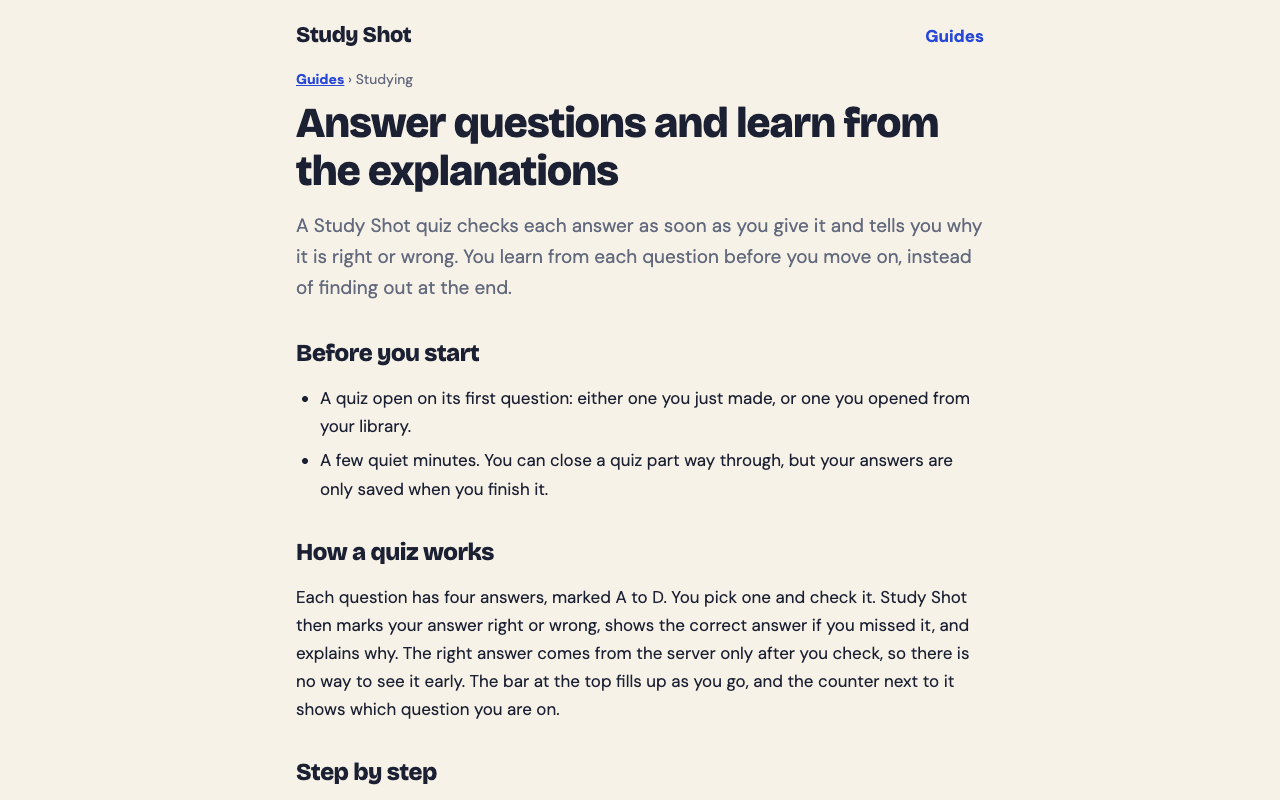
Study Shot works this way. You pick an option and press Check answer. The app tells you Correct! or Not quite., shows the right answer, and gives a short explanation of one to three sentences. Then you press Continue to move on.
The explanation is the part worth slowing down for. The questions are written by an AI model and can contain mistakes, so treat the explanation as a way to check the reasoning against your page, not as the final word. If a question looks wrong, you can use Report a problem under it. Our guide on answering and learning from explanations walks through this step.
When multiple-choice practice works best (and its limits)
Multiple choice is strong for some jobs and weak for others. Be honest about which job you have.
Where it works well
- Key terms, facts and definitions. Quick recall of vocabulary, dates, formulas and labels.
- Telling similar ideas apart. Good distractors force you to separate concepts that sound alike.
- Finding gaps fast. A short quiz can show you which parts of a chapter you do not know yet.
- Short, frequent sessions. It is easy to do a few questions on a bus or before bed.
Where it falls short
- Recognising is easier than recalling. Seeing the right answer in a list is easier than producing it from nothing, so a correct pick can overstate what you know.
- Writing and long reasoning. It will not train you to write an essay or show every step of a proof. If your exam needs that, add practice that matches it.
- Quality varies. A weak question or a mistake in the answer can mislead you, so keep your own notes as the source of truth.
A good rule: use multiple choice to find and fix gaps, then use other practice, such as explaining a topic aloud or writing a short answer, for the skills it cannot test.
How to get more out of every multiple-choice question
- Cover the options first. Try to answer in your head before reading A to D. This turns recognition into recall.
- Commit before you check. Pick one option, even if unsure, so the explanation answers a question you actually asked yourself.
- Read every explanation, including for right answers. A right answer for the wrong reason is still a gap.
- Go back to your page for each miss. Find the sentence that holds the answer and read it in context.
- Retake after a break. A retake the next day shows more than one a few minutes later, when you still remember the answers you just saw. Retakes use no credits.
- Climb in difficulty. Start with key terms, then move to questions that ask you to explain, compare and apply.
If you are short on time, the routine in the night before a test: a 30-minute practice routine shows how to fit these steps into one evening.
Turn your own notes into multiple-choice practice with Study Shot
The hard part of multiple-choice practice used to be finding good questions about the exact material you are studying. Study Shot handles that. You photograph a page from a textbook, your notes or a whiteboard, and an AI model writes multiple-choice questions about it. It runs in the web browser on a phone or a computer.
Here is a worked example for a chapter on photosynthesis:
- Choose Make a new quiz, then Take photo or Choose photo. Hold the page flat and fill the frame. The guide on taking a good photo of a page has more tips.
- Choose 5, 10, 15 or 20 questions. The default is 10.
- Choose a level. Basic covers key terms, facts and definitions. Intermediate asks you to explain, compare and connect ideas. Advanced asks you to apply and predict in new situations. The default, Tiered, is a ladder that starts with basic and climbs to advanced. Details are in the guide on choosing a level and number of questions.
- Press Create questions. It can take up to a minute.
- Answer one question at a time, press Check answer, and read the explanation.
At the end you see a percentage and a grade, a score for each level, and a Look at these again list of the questions you missed, with your answer and the right answer. The quiz is saved to your library with your best score, so you can retake it later. You can also read how this works step by step in how to make a practice quiz from a photo on your phone.
Writing a quiz uses credits from a monthly allowance. Taking a quiz, retaking it, and taking a quiz someone shared with you use no credits, so repeating practice does not cost more.
Frequently asked questions
Is multiple choice as good as writing answers from memory?
Writing an answer from scratch is harder to do, and no study comparing the two was opened for this post, so it does not claim one is better. Multiple choice is useful for finding gaps quickly and for fact-heavy material, and it works well alongside other kinds of practice.
Can a wrong answer hurt my learning?
They can, if you never find out the right answer. In the Butler and Roediger study, feedback reduced how often lure answers came back later. So after every wrong pick, read the right answer and the explanation.
How many questions should I do in one sitting?
Pick a number you can finish with full attention. In Study Shot you can choose 5, 10, 15 or 20 questions, and shorter quizzes done often are easy to fit into a day.
Can I trust every question the AI writes?
Not blindly. The questions are written by an AI model and can contain mistakes, so check the explanation against your page. If something looks wrong, use Report a problem under the question.
Get started
Multiple-choice practice works because it makes you retrieve, shows you your specific confusions, and gives you feedback while the question is fresh. The easiest way to try it is on the page you are studying right now. If you want a first walkthrough, see make your first quiz.
Try Study Shot: it is free to start. Photograph the page you are studying tonight and get practice questions on it, from basic to advanced, with every answer explained.