Make a Practice Quiz From a History Textbook Page
Photograph one history textbook page and Study Shot writes a practice quiz on it. Here is the step-by-step, what each level asks, and how to retake it.
History pages are dense with names, dates and cause-and-effect chains, which makes them hard to review by rereading. If you want to make a practice quiz from a history textbook page, the quickest route is to photograph the page and let Study Shot write multiple-choice questions about it. This post shows you how to do that, what to expect from the questions, and how to use retakes so the page sticks.
Why history textbook pages are perfect for practice quizzes
A history page holds many small, checkable facts. Who signed the treaty? What happened first? Why did the revolt spread? Those are things a multiple-choice question can ask about.
A quiz asks you to answer before you look, so it shows quickly which parts of the page you can already explain and which you only recognise. Each question also comes with an explanation, so you can check your answer against the page.
A single page is also a good size. It is short enough to quiz in one sitting and big enough to hold several linked ideas, such as an event, its causes and its results.
What you need to make a quiz from a history page
You need three things:
- A Study Shot account. Every screen needs one, and you sign up with your name, your email and a password of at least 8 characters. It is free to start.
- A phone or a computer with a web browser. Study Shot runs in the browser, so there is nothing to install.
- A clear photo of one page. JPEG, PNG, WebP or GIF files up to 5 MB work, and larger photos are shrunk to 2,000 pixels on the long edge before upload.
If you have not taken a photo like this before, the guide on taking a good photo of a page covers the basics. The short version: hold the page flat, fill the frame and keep shadows off the text. Our post on making a practice quiz from a photo on your phone goes through the phone side in more detail.
How to make a practice quiz from a history textbook page step by step
Here is the full flow, using a page about the causes of the French Revolution as the example.
- Open Make a new quiz. Choose Take photo to use your camera, or Choose photo if you already have a picture of the page.
- Photograph one page. Keep the page flat, make sure the text is sharp, and avoid shadows across the lines. The photo guide says one page per quiz works best.
- Pick a level. Tiered is the default. It is a ladder that starts with basic questions and climbs to advanced. Basic covers key terms, facts and definitions. Intermediate asks you to explain, compare and connect ideas. Advanced asks you to apply and predict in new situations.
- Check the quiz language. Questions, answers and explanations are written in 50 languages. The app's own screens stay in English.
- Pick the number of questions. You can choose 5, 10, 15 or 20. The default is 10. For one page of history, 10 is a sensible start.
- Press Create questions. You will see "Reading your page…" and then a note that it is writing your questions. This can take up to a minute.
Then you answer one question at a time. Pick an option, press Check answer, and the app tells you Correct! or Not quite. It also shows the right answer and a short explanation. While you work, Show page lets you look back at your photo.

The guide on making your first quiz walks through the same steps. The guides also include a short how-it-works video if you would rather watch than read.
What kinds of questions work best for history
Study Shot questions are multiple choice, with four options (A to D) and one right answer. The level you choose changes what you get.
- Basic is for key terms, facts and definitions, which on a history page means names, dates and places. Think "What did the Third Estate declare itself to be in 1789?" This is a good first pass when you are meeting the material for the first time.
- Intermediate asks you to explain, compare and connect. An example would be a question asking how a food shortage and a tax system together increased unrest.
- Advanced asks you to apply and predict. You might be given a new situation and asked which outcome fits the pattern you just read about.
Those are examples of the style, not a promise of exact wording. The quiz writer asks only about what it can see in your photo, so anything cut off or lost in glare does not make it into the quiz.
If you are studying for an exam, Tiered is a sensible choice. With 15 questions it splits as evenly as possible across the three levels, so you get a spread from recall to application. The guide on choosing level and number of questions explains the options.
How to cover dates, causes, and key figures on one page
Most history pages mix three kinds of content: when things happened, why they happened, and who was involved. A quiz works best when it touches all three.
Here is a simple workflow for a page with all of that packed in:
- Run a Tiered quiz of 10 or 15 questions on the page.
- Read each explanation, even when you got the answer right. The explanation is one to three sentences.
- At the end, open Look at these again. It lists every question you missed, with Your answer next to the Right answer.
- Sort your misses into dates, causes and people, and look for a pattern. This sorting step is a suggestion, not a feature of the app.
Once you spot the pattern, you can reread that part of the page with a purpose. If dates are the problem, build a quick timeline on paper. If causes are the problem, write one sentence that starts with "This happened because".
The results screen also shows a score for each level in the quiz. The results guide says that if the advanced score is low and the basic score is high, you know the facts but not yet how to use them.
How to retake the quiz until the page sticks
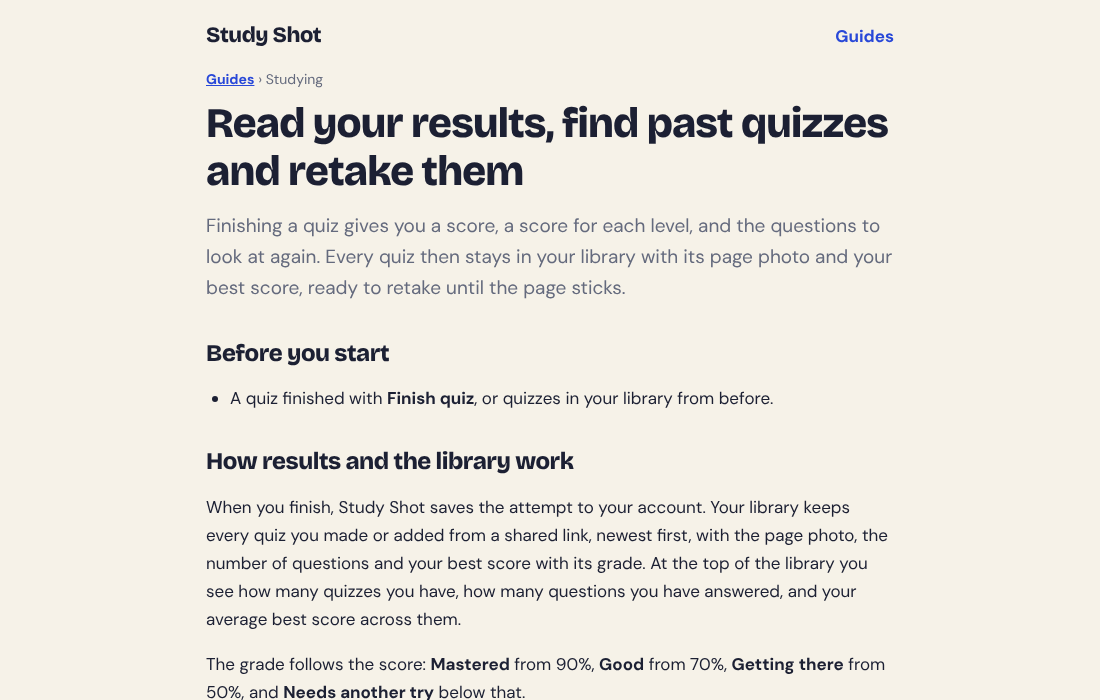
Your quiz is saved to your library with its page photo and your best score. You can retake it any time with the Retake quiz button. Retaking a quiz uses no credits.
Your score also gets a grade: Mastered at 90% and up, Good at 70% and up, Getting there at 50% and up, and Needs another try below 50%. The results guide suggests retaking a quiz a day or two later, not just straight away, because getting it right after a break is a better sign you have learned it. One routine that follows from that is to aim for Mastered on two separate days.
Our post on how to retake a quiz until you master a page goes deeper on this routine, and the guide on results, library and retakes covers the screens involved.
Tips for chapters with maps, timelines, and primary sources
History chapters rarely stick to plain paragraphs. Here is how to handle the other things you will find on a page.
Maps
The app says textbooks, notes and diagrams all work, and the photo guide says labelled diagrams are read. A map with labels is the closest match, so try it, but the guides do not name maps, so treat it as a suggestion. Photograph the map together with its caption and the paragraph beside it, because the words give the quiz more to ask about. Our post on making a practice quiz from a textbook diagram has more on pages that lean on pictures.
Timelines
Make sure every date on the timeline is readable in the photo. The guide says anything cut off at the edge does not make it into the quiz, and that a photo of two pages side by side makes the print smaller. If a timeline runs across two pages, take two photos and make two quizzes.
Primary sources
A quoted letter, speech or treaty clause is a good candidate for an Intermediate or Advanced quiz, which ask you to explain, compare and apply. This is a suggestion, not a tested result. Include the lines that say who wrote it and when, so the quiz has that context to work with.
When a question looks wrong
Questions are written by an AI model, and they can contain mistakes. Use the explanation to check the answer against your page. If something still looks off, choose Report a problem with this question under it and pick one of the four reasons. If the photo cannot be used, you will see "We couldn't write questions for this photo. Try a different page." Try a clearer shot of another page.
Studying in another language
If you are learning history in a second language, you can pick a different quiz language than the page. Our post on getting a practice quiz in Spanish from an English page shows how that works.
Frequently asked questions
Can I make a practice quiz from a history textbook page with my phone?
Yes. Study Shot runs in the browser on a phone or a computer, so you can take the photo and start the quiz there.
How many questions should I ask for on one history page?
Ten is the default. Choose 5 for a quick check, or 15 or 20 if the page is packed with facts. Bigger quizzes use more credits to write, but taking and retaking them uses none.
Does the quiz explain the answers?
Yes. After you press Check answer, you see whether you were right, the correct answer, and a short explanation. Because AI can make mistakes, use the explanation to check against your page.
Can I share a history quiz with my study group?
Yes. Use Share this quiz to make a link. The person who opens it needs a Study Shot account and gets their own copy of the questions, without your photo. You can stop sharing at any time.
Get started
Pick the history page you have to know by next week and photograph it tonight. Try Study Shot: it is free to start. You get practice questions on that page, from basic to advanced, with every answer explained.