How to Build a Weekly Review From Your Saved Quizzes
Turn your saved quizzes into a simple weekly review. Learn how to sort missed questions, schedule a 30-minute session, and track progress so facts stick.
A weekly review turns a pile of saved quizzes into a plan. If you have been photographing pages and taking quizzes all week, you already have the raw material. This guide shows how to build a weekly review from your saved quizzes, using only what Study Shot gives you: your library, your best scores, and the list of questions you missed.
Why a weekly review beats rereading your notes
Rereading your notes is easy to do without checking what you know. A quiz asks you to answer, and then tells you which answers were wrong. We cover the research on answering questions in the testing effect explained for students.
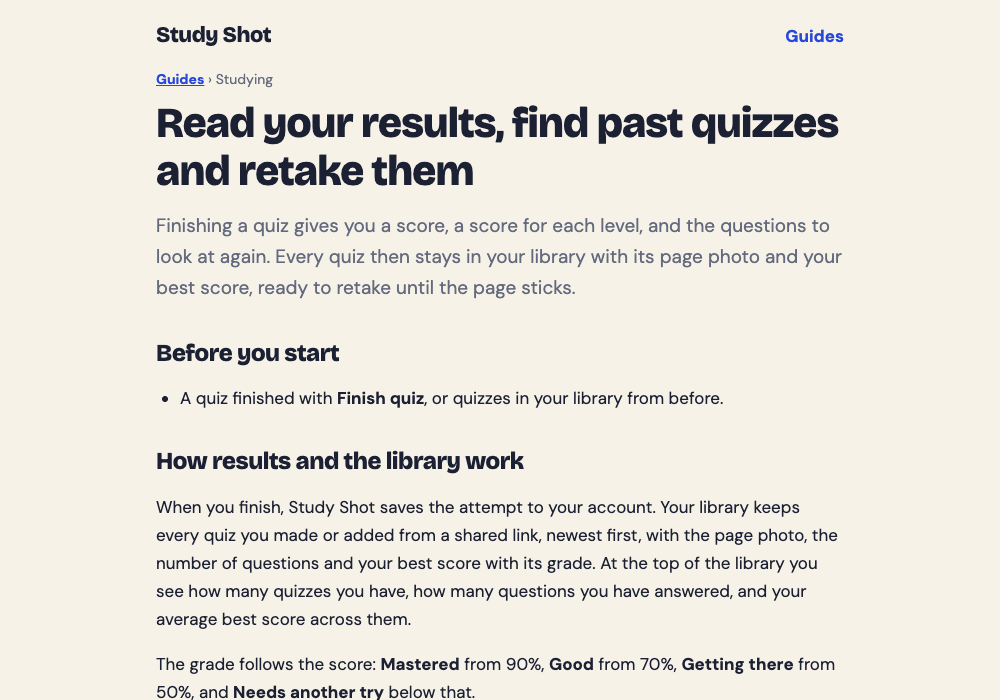
A weekly review gives that practice a fixed place in your week. And because every quiz is already saved in your library, setting it up costs you almost nothing. The guide to results and retakes adds one tip of its own: retake a quiz a day or two later, not just straight away, because getting it right after a break is a much better sign that you have learned it.
What to gather from your saved quizzes before you start
Open your library. At the top you will see counters for Quizzes, Answered and Avg best. Each quiz card shows a thumbnail of its page photo and a line like Best x/y with a grade. That is your starting map.
Before you study anything, collect three things:
- The list of quizzes from this week. Scroll your library and note which pages you covered.
- Each quiz's best score and grade. The grades are Mastered (90% and up), Good (70% and up), Getting there (50% and up) and Needs another try (below 50%).
- A blank note or piece of paper. You will use it to sort questions in the next step.
Taking and retaking a quiz uses no credits. Only writing a new quiz draws from your monthly allowance, so reviewing saved quizzes costs no credits.
Step 1: Sort questions into missed, shaky, and solid
Go through each quiz from the week and put its questions into three groups.
- Missed: you got it wrong. Study Shot lists these for you on the results screen under Look at these again, with Your answer next to the Right answer.
- Shaky: you got it right but guessed, or you hesitated. Only you know this one, so jot it down when it happens.
- Solid: you knew it and could explain why.
The shaky group is the one people skip. A lucky guess scores the same as real knowledge, so the grade alone can hide weak spots. Make a habit of noting any question where you were not sure. A quick tally next to the quiz name is enough.
Here is a worked example. Say you took a 10-question biology quiz on photosynthesis. You missed 2 questions, guessed on 2 more, and knew 6. Your note for that quiz might read: "Photosynthesis: missed 2, shaky 2, solid 6." That is four questions to focus on instead of ten.
The results screen also gives a right/total score for each level in the quiz (Basic, Intermediate, Advanced). Look at it. If you scored well on Basic but poorly on Advanced, you know the terms but cannot yet apply them. That tells you what kind of practice you need next.
Step 2: Retake only what you got wrong or guessed
Here is where you need to be honest about how the app works. The Retake quiz button runs the whole quiz again. It does not build a quiz from only your missed questions. So you do this in two parts.
- Read your missed questions first. Open the results for the quiz and read the Look at these again list. For each one, compare Your answer with the Right answer, then read the explanation. The explanation is one to three sentences and helps you check the reasoning. If you need the source, tap Show page during a quiz to see your photo again.
- Then retake the quiz. Pay extra attention when you reach the questions on your missed and shaky list. Ask yourself why each wrong option is wrong, not just why the right one is right.
Getting a question wrong is useful, not a failure. We explain why in why getting an answer wrong can help you remember it. For a longer look at retaking until a page sticks, see how to retake a quiz until you master a page.
One caution: AI-written questions can contain mistakes. If a question or its answer looks wrong, check your page. If it still looks wrong, use Report a problem with this question and choose one of the four reasons. Our post on how accurate AI-written practice questions are covers what to watch for.
Step 3: Build a 30-minute weekly review session
Pick one fixed time each week. Any slot you will keep is the right one. Here is a 30-minute plan for a week with three or four saved quizzes.
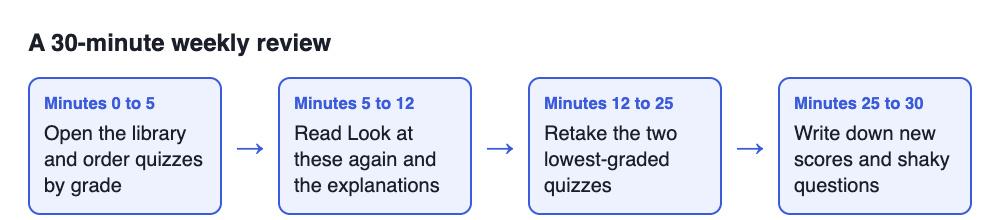
- Minutes 0 to 5: Open the library. Check the Best x/y and grade on each quiz. Put the quizzes in order from lowest grade to highest.
- Minutes 5 to 12: Read your missed questions. Start with the lowest-graded quiz. Open its results and read each item under Look at these again, plus the explanation.
- Minutes 12 to 25: Retake two quizzes. Retake the lowest-graded quiz first, then the next one. Take your time and answer one question at a time.
- Minutes 25 to 30: Write your notes. Record the new scores and list the questions that are still shaky.
If you have more quizzes than time, do not squeeze them all in. Cover the weakest two and leave the rest for next week. A short session you finish beats a long one you abandon.
This routine is also a good base for exam week. When a test is close, you can shorten it into the plan in the night before a test: a 30-minute practice routine.
Step 4: Track your scores and adjust next week's plan
Your library keeps the best score for each quiz, and the Avg best counter shows your average best score across your quizzes. After your session, look at both. If a quiz moved up a grade, for example from Getting there to Good, that page needs less time next week. If it did not move, give it more.
Because the library shows your best score rather than a history, keep your own short log. One line per quiz per week is enough:
- Quiz name or page topic
- Score this week, such as 7/10
- Number of shaky questions left
- One thing to fix, such as "mix up mitochondria and chloroplast roles"
Then use that log to decide what to do next week:
- Mastered (90% and up) with no shaky questions: move it to a monthly check.
- Good (70% and up): keep it in the weekly rotation for one more round.
- Getting there or Needs another try: put it first next week. If the same page keeps scoring low, reread the original page, then retake.
You can also write a new quiz at a different level. If you only ever took the Tiered default, a Basic quiz on a weak page rebuilds key terms and definitions. An Advanced one on a strong page checks whether you can apply and predict in new situations. Writing a new quiz does use credits, so spend them where you need them most. The guide to levels and question counts explains the options, and the guide to results, library and retakes walks through the screens used in this routine.
Common weekly review mistakes to avoid
- Reviewing only what you already know. Retaking a quiz you scored 100% on feels good and teaches little. Start with the lowest grade.
- Ignoring guesses. A right answer you guessed is still a gap. Track the shaky ones.
- Skipping the explanations. If you only look at the score, you miss why you were wrong. Read the explanation each time.
- Retaking only straight away. The results guide suggests a retake a day or two later. A weekly session already leaves a gap, so add a quick same-day retake only if you want one.
- Trusting every question blindly. The questions come from an AI model and can have errors. Check against your page and report a problem when something looks off.
- Making the session too long. Thirty focused minutes is easier to repeat every week than two hours once a month.
Frequently asked questions
How often should I review my saved quizzes?
Once a week is a good rhythm for most students. If a quiz keeps scoring in the lowest grades, you can add a short extra retake midweek.
How long should a weekly review take?
About 30 minutes works for three or four quizzes. If you have more, cover the lowest-graded ones first and carry the rest to next week.
Should I retake whole quizzes or just missed questions?
Study Shot's Retake quiz button runs the whole quiz. So read your missed questions in Look at these again first, then retake the quiz and pay extra attention to those items.
Does a weekly review work for cramming before a test?
It suits a test that is a week or more away, because you can come back to each page more than once. If your test is tomorrow, use the shorter routine in our night-before guide instead.
Get started: how to build a weekly review from your saved quizzes
You do not need a new tool or a new habit stack. You need a few saved quizzes, a fixed time each week, and the willingness to look at what you missed. Open your library, sort your questions into missed, shaky and solid, and retake the weakest quiz first. If you would like to see how a quiz is made, the guide to making your first quiz takes a few minutes.
Try Study Shot: it is free to start. Photograph the page you are studying tonight and get practice questions on it, from basic to advanced, with every answer explained.