Quiz Yourself on a Science Worksheet Before a Test
Turn a science worksheet into a practice quiz in minutes. Learn how to test yourself, find weak spots, and walk into your next test ready.
You have a science worksheet and a test coming up. Rereading is the easy option. If you want to quiz yourself on a science worksheet before a test, you need questions that ask you to pick an answer. Study Shot can write those questions from a photo of the page. This post shows you how to set that up and how to use the quiz well.
Why quiz yourself on a science worksheet before a test
When you reread, the answers are right in front of you. On the test, they are not. A quiz lets you find out before the test what you can answer without the page.
A quiz flips that. You see a question, you commit to an answer, and then you find out if you were right. A miss is useful: it points to the idea you still need to work on while there is time left. For the research on why answering questions helps, see the testing effect explained for students.
Science worksheets suit this well. They are full of small, testable pieces: terms, labelled parts, cause and effect, and short calculations.
What makes a science worksheet good quiz material
Not every page gives the same quality of questions. A page with clear printed text, a diagram with labels, and a few worked ideas gives a quiz plenty to work with.
- Clear text. The photo guide says Study Shot reads printed text best, though neat handwriting and labelled diagrams work too.
- One topic per page. A page about photosynthesis gives focused questions. A page that jumps between five topics gives scattered ones.
- Everything in view. Study Shot writes questions only about what it can see, so anything cut off at the edge, hidden under a finger or lost in glare does not make it into the quiz.
If you are not sure how to frame the shot, the guide on taking a good photo of a page covers it. The short version: lay the page flat, use good light and hold the phone straight above it.
How to quiz yourself on a science worksheet step by step
These steps work with any set of questions.
- Read the worksheet once. Do it slowly, then put it away.
- Get questions you did not write. Making them by hand takes time, and you choose what to ask.
- Answer before you check. Commit to a choice, even if you are unsure.
- Read why the answer is right. Do this most carefully on a miss.
- Write down what you missed. Then come back to it later.
A photo-to-quiz tool does the question writing for you.
Turn a worksheet photo into a practice quiz with Study Shot
Study Shot runs in the web browser on a phone or a computer. You photograph the worksheet, and an AI model writes multiple-choice questions about it, checks your answers, and explains each one. For a first run, the make your first quiz guide walks through every screen. The phone version of this flow is also covered in how to make a practice quiz from a photo on your phone.
Here is a worked example with a worksheet on photosynthesis:
- Create an account and log in. Every screen needs one.
- Choose Make a new quiz, then Take photo or Choose photo.
- Pick the number of questions: 5, 10, 15 or 20. The default is 10.
- Pick a level. Tiered is the default and climbs from basic to advanced. Basic covers key terms, facts and definitions. Intermediate asks you to explain, compare and connect ideas. Advanced asks you to apply and predict in new situations.
- Choose the language for the quiz. The questions, answers and explanations can come in 50 languages, though the app's own screens stay in English.
- Press Create questions. It can take up to a minute.
Each question has four options, A to D, with one right answer. You pick one and press Check answer. You see Correct! or Not quite., the right answer, and a short explanation. The guide to levels and question counts helps you choose.
One caution. The questions are written by an AI model, so they can contain mistakes. Use the explanation to check the answer against your worksheet and textbook. If a question looks wrong, use Report a problem with this question and choose one of four reasons.
Quiz strategies for vocabulary, diagrams, and calculations
Vocabulary
Start on Basic for a page heavy with terms. That level focuses on key terms, facts and definitions. Once you get most of them right, run the same page again on Intermediate, where you have to explain and compare rather than just recognise a word.
Diagrams
Photograph the diagram along with its caption and nearby text, because the questions come from what is on the page. During the quiz, Show page displays your photo, but try to answer first and look second. If you peek every time, you are back to rereading.
Calculations
Study Shot questions are multiple choice, so they test whether you understand the setup: which formula applies, what a unit means, what happens if a value changes. The Advanced level, which asks you to apply and predict in new situations, fits this best. Do not treat the quiz as a replacement for working problems on paper. Do both: use the quiz to check the idea, then practise the arithmetic yourself.
How to review your misses and retake the quiz
When you finish, the results screen shows a percentage and a grade:
- Mastered: 90% and up
- Good: 70% and up
- Getting there: 50% and up
- Needs another try: below 50%
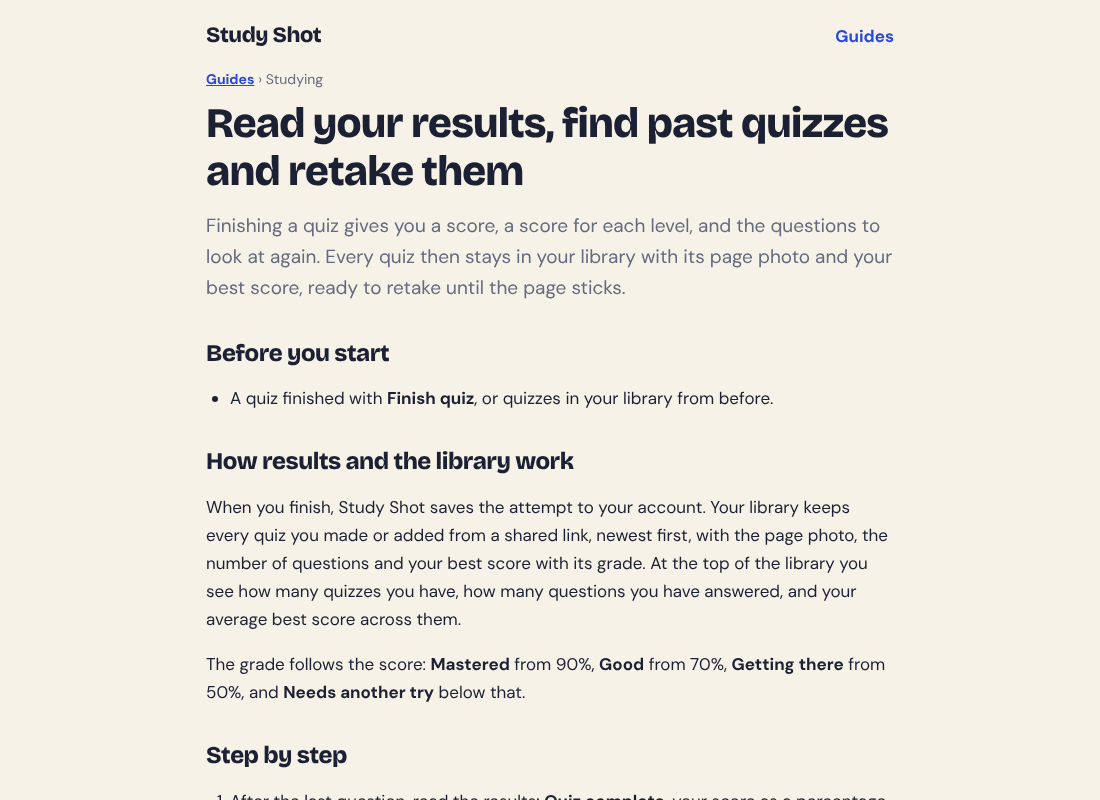
You also get a right/total score for each level in the quiz, so you can see whether your trouble is with basic facts or with applying them. Below that, Look at these again lists the questions you missed, with Your answer and Right answer side by side. Read those out loud and explain, in your own words, why the right answer is right.
Then press Retake quiz. Retakes use no credits, and the quiz stays in your library with your best score. For a full routine around this, see how to retake a quiz until you master a page and the guide to results, library and retakes.
A simple schedule for the days before your test
Here is one way to spread the work. Adjust it to the days you have.

- Three days before: Photograph each worksheet. Take a Tiered quiz on each and note your grade.
- Two days before: Retake the quizzes where you got below Good. Focus on the Look at these again list.
- One day before: Make a harder quiz on your weakest worksheet, using Advanced. Retake your strongest ones once, quickly.
- Test morning: Skim your missed questions only. Do not start anything new.
If you are short on time, the 30-minute night-before routine fits a single evening. If you study with friends, you can send a quiz by link. They need a Study Shot account and get their own copy of the questions, without your photo. More on that in sharing a practice quiz with classmates.
A note on cost: writing a quiz uses credits from a monthly allowance, and a 20-question quiz uses about four times what a 5-question quiz does. Taking and retaking quizzes uses none. Your library shows how many credits you have used this month.
Frequently asked questions
Can I quiz myself on a science worksheet from a photo?
Yes. Photograph the page in Study Shot, choose the number of questions and a level, and it writes multiple-choice questions about what is on the page.
How many questions should I choose?
You can choose 5, 10, 15 or 20, and the default is 10. Use fewer for a short single-topic page and more for a dense one.
Are the questions always correct?
No. An AI model writes them, so they can contain mistakes. The explanations help you check each answer, and you can report a question if something looks wrong.
Does retaking a quiz cost credits?
No. Taking a quiz, retaking it, and taking a quiz someone shared with you use no credits. Only writing a new quiz does.
Get started
Try Study Shot: it is free to start. Photograph the worksheet you are studying tonight and get practice questions on it, from basic to advanced, with every answer explained.