Why Explanations After Each Answer Help You Learn
Seeing an explanation right after each answer turns practice into real learning. Here is the science, what to look for, and how to use feedback well.
You answer a practice question, see a green tick or a red cross, and move on. That is quick, but it leaves out the reason behind the answer. This post covers why explanations after each answer help you learn, what a useful explanation contains, and how to use them while you practise.
Why explanations after each answer help you learn
A tick or a cross tells you one thing: whether you were right. It does not tell you why. If you got it wrong, you know something is off but not what. If you got it right, you do not know whether you understood the idea or made a lucky guess.
Think of a question about photosynthesis: Where in a plant cell does photosynthesis take place? The options are the mitochondria, the chloroplasts, the nucleus and the cell wall. Say you pick the mitochondria. A red cross tells you to try again. A written explanation can say why the correct option, the chloroplasts, fits the question and why yours does not. Now you have the reason behind the answer, not only a letter to remember.
What the research says about feedback after answering
This section rests on one source, opened while writing this post: the abstract of Butler and Roediger (2008), "Feedback enhances the positive effects and reduces the negative effects of multiple-choice testing", published in Memory & Cognition (PubMed 18491500). It is one study, read through its abstract, so treat it as a clear signal and not the last word.
The researchers note that multiple-choice testing helps people retain the material tested, which is the testing effect we cover in the testing effect explained for students. They also note a risk: the wrong options, which they call lures, expose students to misinformation and can lead them to acquire false knowledge.
Students studied passages and then took a multiple-choice test with immediate feedback, delayed feedback or no feedback. Compared with no feedback, both immediate and delayed feedback increased the proportion of correct responses and reduced the proportion of intrusions, meaning answers carried over from the lures, on a later cued recall test. The authors conclude that educators should provide feedback when using multiple-choice tests.
One limit matters here. The abstract speaks of feedback in general. It does not say that a written explanation beats a plain right-or-wrong mark, so this post does not claim that. What the study supports is narrower: after a multiple-choice question, getting feedback beats getting none.
How explanations fix wrong answers and misconceptions
A wrong option on a multiple-choice question is a lure, and the study above found that lures can leave false knowledge behind when there is no feedback. Feedback reduced that effect.
Seeing the right answer straight after you pick is the feedback, and an explanation adds the reason. We go deeper on this in why getting an answer wrong can help you remember it.
In Study Shot, every answer you check is followed by a short explanation, one to three sentences. You see Correct! or Not quite., then the correct answer, then the reason. That is the loop: attempt, check, understand.
Why explanations help even when you got it right
Right answers deserve a look too. Sometimes you reasoned well. Sometimes you eliminated two options and guessed between the others. The explanation shows you which one it was.
Reading it after a correct answer does three things:
- It confirms your reasoning, so you can trust it next time.
- It exposes a lucky guess before the real test does.
- It often adds a detail you did not have, such as why the closest wrong option fails.
If the explanation surprises you, treat the question as a miss, even though the tick was green. Note it and come back to it.
What a good explanation includes
You can judge any explanation, from a teacher, a textbook or a tool, by a few features:
- The right answer, stated plainly. No hunting for it.
- The reason. Not just "B is correct" but the idea that makes B correct.
- Short length. A few sentences you will actually read beat a page you skip.
- A link to the page. The best explanation points back to something in your material.
Study Shot writes the questions from your own photographed page, so the explanation ties to what you are studying. During a quiz, Show page brings up your photo so you can find the passage the question came from.
One caution. The questions and explanations are written by an AI model, and it can make mistakes. The explanation is there to help you check your thinking against your page, not to replace the page. If something looks wrong, use Report a problem with this question under the question. Our post on how accurate AI-written practice questions are covers what to watch for.
How to use explanations step by step during practice
Here is a routine you can follow with any practice quiz. It works well with a 10-question quiz made from one page.

- Commit before you check. Pick an option and decide how sure you are: sure, unsure or guessing. Say it to yourself.
- Press Check answer. Read whether it was Correct! or Not quite.
- Read the whole explanation. Even if you were right and sure, read it. It takes seconds.
- Say it back in your own words. One sentence is enough: "Chloroplasts, because they hold chlorophyll that captures light."
- Check the page for misses and guesses. Tap Show page and find the line. This links the explanation to your source.
- Continue. Do not linger on one question for ten minutes. Move on, then deal with misses at the end.
At the end, the results screen has a Look at these again list of the questions you missed, with Your answer and Right answer side by side. Read that list slowly. It shows your pattern of errors in one place. Then use Retake quiz and see whether the explanations stuck. Our post on how to retake a quiz until you master a page shows how to repeat this without memorising letter positions. Taking and retaking a quiz uses no credits.
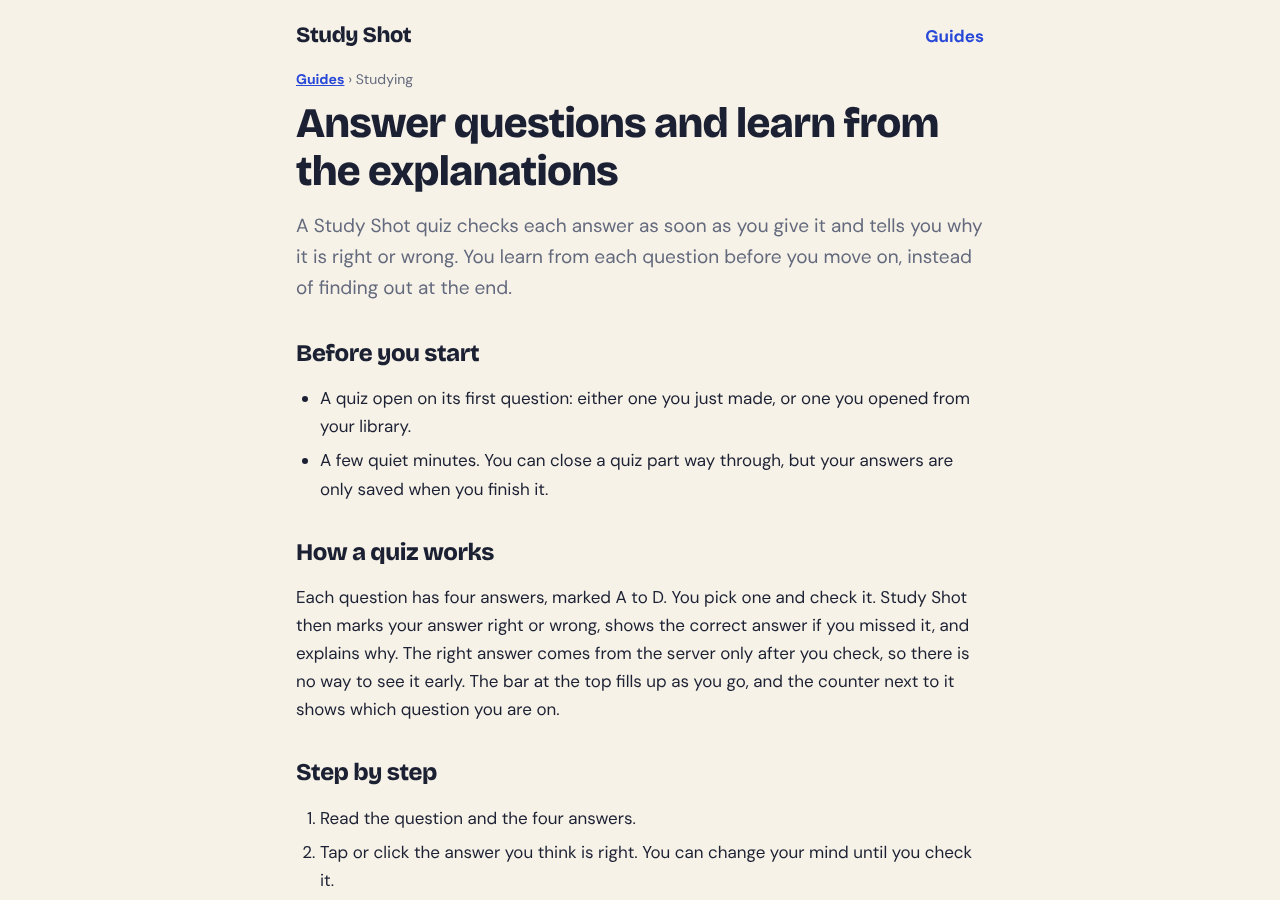
If you want to see how the explanation step fits into the whole process, the guide on answering and learning from explanations walks through it on the screen.
Common mistakes that waste feedback
Skipping the explanation when you are right
This is the most common one. A correct answer you cannot explain is a weak result. Read the reason anyway.
Reading before you commit
Study Shot only shows the correct answer after you press Check answer, and its guide suggests you try to say the answer to yourself before you look at the options. Pick first, then check.
Rushing through to the score
A percentage feels like the point. It is only a snapshot. The learning happens in the explanations on the way there. Study Shot grades a result as Mastered at 90% and up, Good at 70% and up, Getting there at 50% and up, and Needs another try below that. Use the grade as a signal for what to do next, not as the goal.
Memorising the answer instead of the idea
On a retake, you may remember "the second one" rather than the concept. Say the reason aloud each time. If you cannot, the idea has not landed yet.
Never going back to your misses
Saved quizzes stay in your library with your best score, so a short review later in the week is easy. See how to build a weekly review from your saved quizzes.
Frequently asked questions
Why do explanations after each answer help you learn?
The study above supports feedback after a question in general, not explanations over plain marking. An explanation gives you the reason, which lets you check your thinking against your page.
Should I read the explanation if I got the answer right?
Yes. Study Shot's guide says it often adds the reason or a link to another idea that the next questions build on. It also can show whether you reasoned or guessed.
Does Study Shot explain every answer?
Yes. After you press Check answer, it shows whether you were right, gives the correct answer and adds a short explanation of one to three sentences. Because AI can make mistakes, use the explanation to check against your page, and report a question if it looks wrong.
Does retaking a quiz use credits?
No. Taking a quiz, retaking it and taking a quiz shared with you use no credits. Credits are used only when you write a new quiz.
Get started
The next time you practise, slow down by ten seconds per question. Pick, check, read the reason, say it back.
Try Study Shot: it is free to start. Photograph the page you are studying tonight and get practice questions on it, from basic to advanced, with every answer explained.